
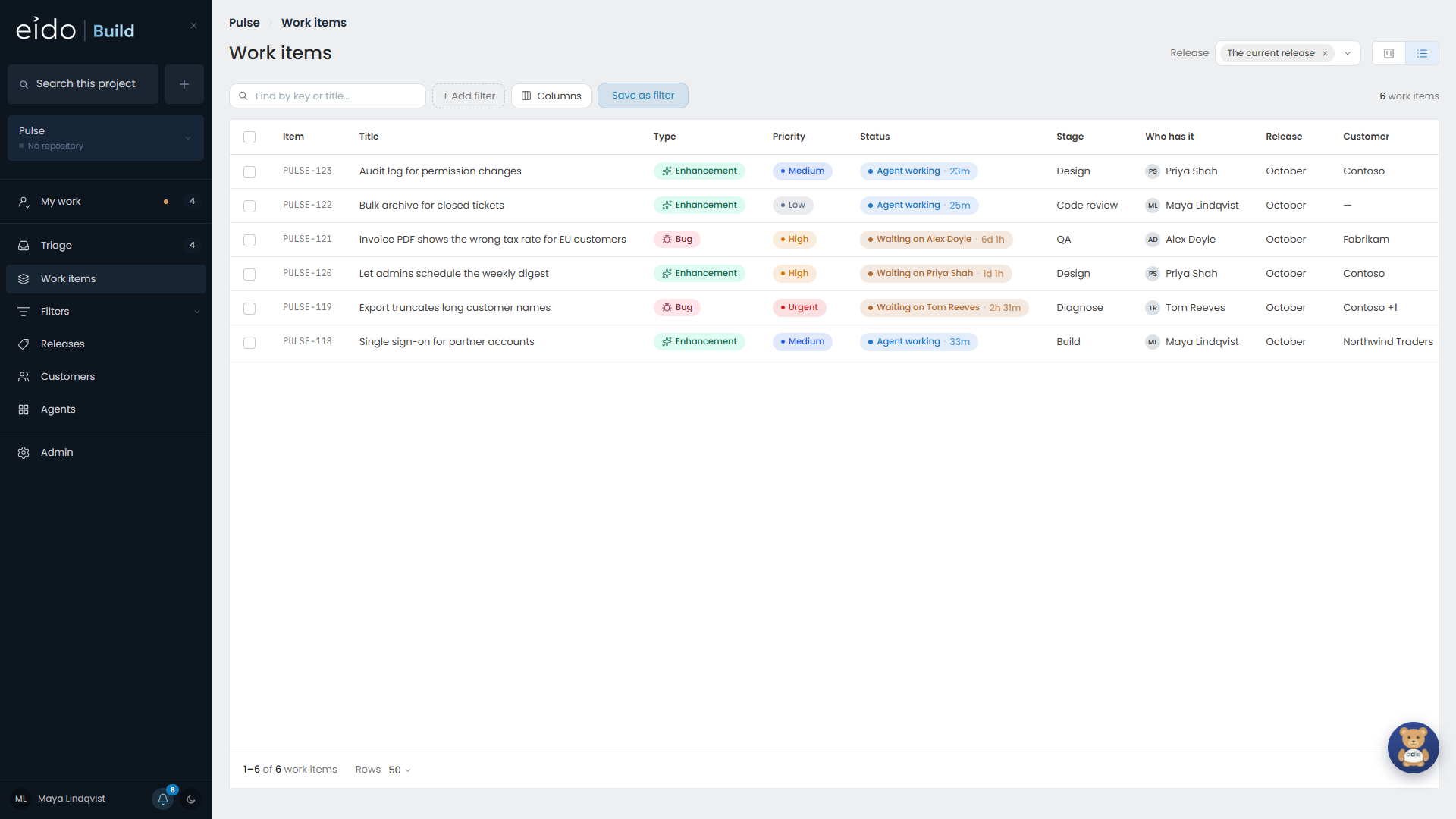
Work items shows every work item in the project the picker is on, or in every project you can see. You can look at the same set two ways, as a board or a list, and both filter in exactly the same way.
It opens on the release being built. On All projects it opens on every release in progress.
Filtering#
Project and Release are always in the header. Everything else is behind Add filter: type, priority, status, stage, team, person, customer, who raised it, and any custom field your organisation has added.
Two things are worth knowing:
- Filtering by a team or a person finds every work item they are on, including the ones that have not reached them yet. A QA lead wants to see the four things still on their way as much as the one that has arrived.
- What is holding something up is a separate filter, because it is a separate question.
The questions people ask most are presets: what is queued, what is in the backlog, what is in flight, and what is completed.
To keep a set of filters, see Saved filters.
The board#
The board’s columns are the stages of the workflow, in order. A stage nothing has reached yet is still a column, so the board keeps the same shape all week.
- With one workflow picked, you see that workflow’s stages. Across several, the columns are merged so that each workflow still reads left to right.
- On All projects, stages with the same name are one column, so every project’s “Code review” sits together.
- Work still in triage is not on the board.
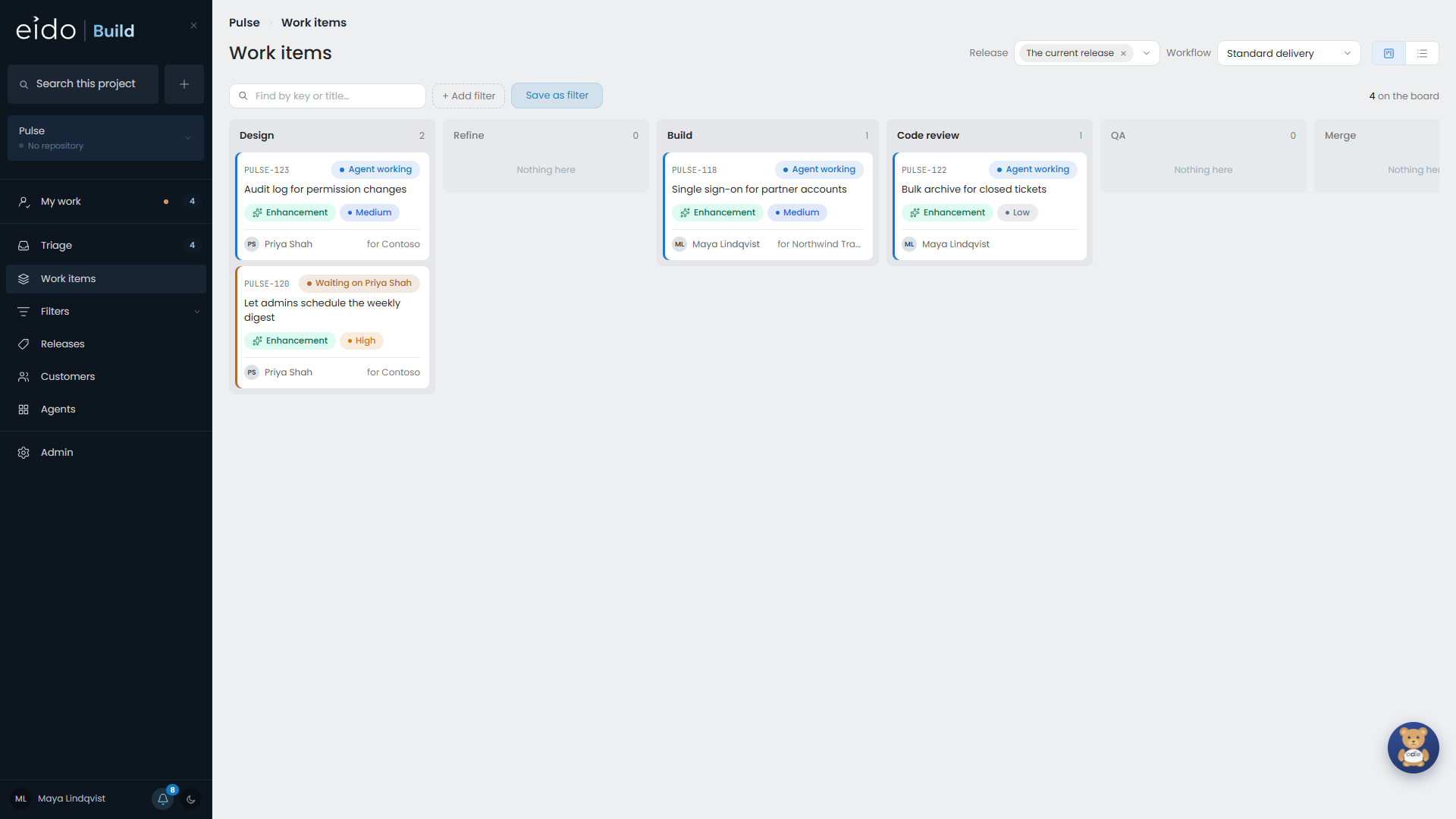
Cards cannot be dragged. Work moves when a stage finishes or is approved, and nothing skips a stage, so a card you could drag would be promising something it cannot do.
A queued card in the release being built shows a Start button when you point at it, if you are allowed to start work.
The list#
The list is a table you can shape.
| To | Do this |
|---|---|
| Sort | Click a column heading. A second click reverses it, and a third puts the list back in the order it arrived in. |
| Choose columns | Use the column picker in the toolbar. Drag a heading to move a column, or its edge to size it. |
| Group | Use Group by. Click a group’s heading to fold it away. |
| Open something in a new tab | Middle click the row, or right click it and use your browser’s own menu. |
Your columns are remembered in your browser. They are yours, and do not change what anybody else sees.
Doing something to several at once#
Tick rows in the list and the heading becomes a bar of actions. You can change the priority, type, release or customer, name a team’s owner, start what is queued, delete, or use Edit fields… to set several fields in one go.
Each action reports what it could not do rather than leaving rows out quietly. A bulk delete asks about the work items’ branches once, for the whole set.