
My work answers two different questions.
- Assigned to you is your workload: everything you own, whatever it is doing.
- Waiting on you is your to-do list: the things that have stopped until you act.
When agents are doing most of the work, those are very different numbers. You might own a dozen work items and have nothing to do, because every one of them is moving.
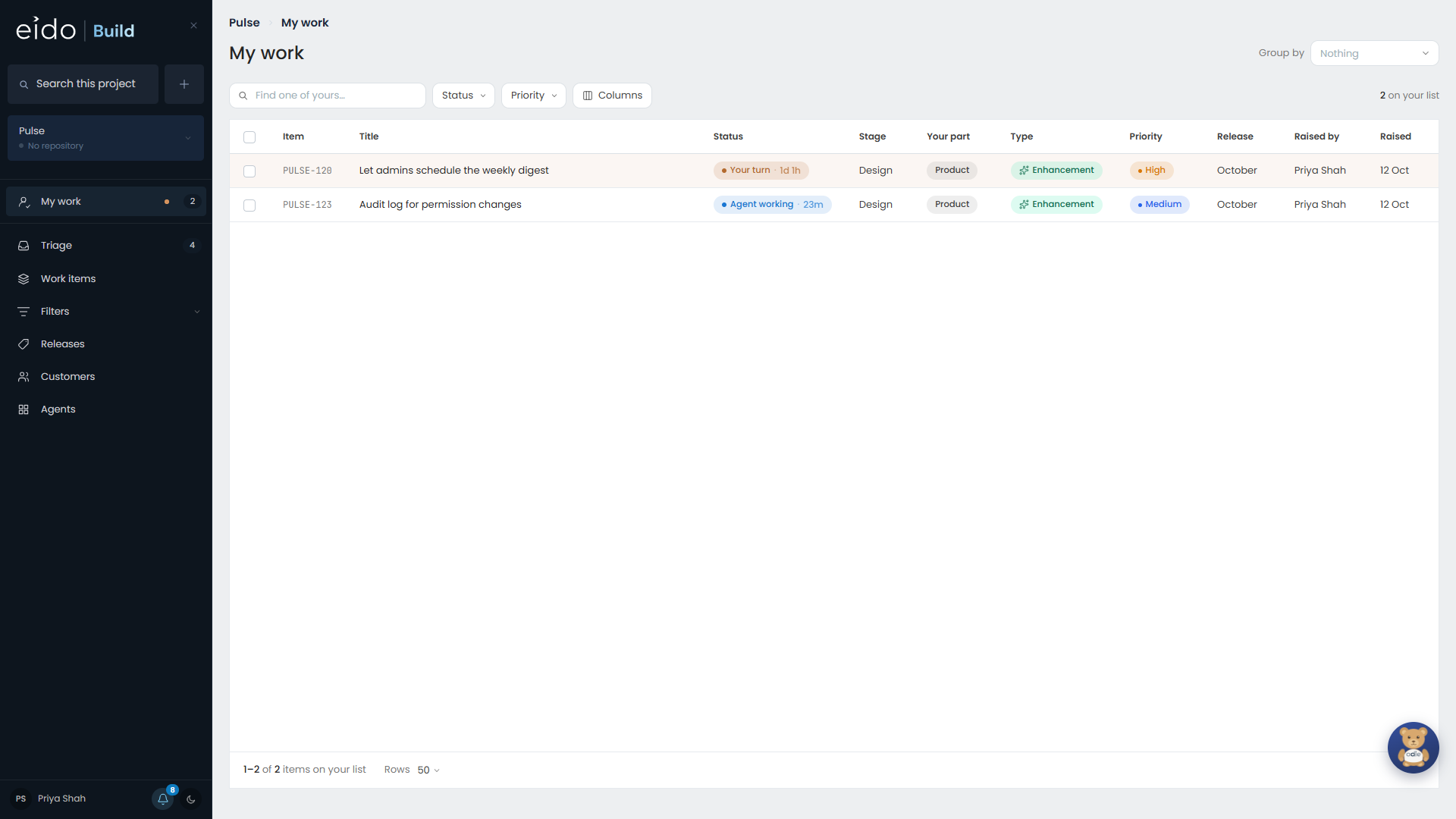
Reading the page#
The page is amber when anything has stopped for you, and green when nothing has. Green does not mean you have nothing on. It means nobody is held up by you.
Each row shows the work item, where it is in its workflow, and its status with how long it has been in that state.
| Column | What it tells you |
|---|---|
| Status | Whether anybody is waiting, and on whom. |
| Who has it | Who the stage belongs to. The name is dimmed while nothing is waiting on them, for example while an agent is working. |
| Raised by | Whose request this is, so you know who to talk to. |
Approvals count#
If you are on a team that signs stages off, the stages waiting for your team’s approval are in your list, even if you own none of that work.
Grouping#
Group by arranges the list by project, status, stage, your team, type, priority, release, customer, or any custom field. On All projects it starts grouped by project.
Click a group’s heading to fold it away. Your choice is remembered in your browser, separately for All projects and for a single project.
What to do with a row#
Open the work item. If it is waiting on you, the page shows what is needed: a reply to an agent’s question, an approval, a criterion to review, or a task to mark as done.