
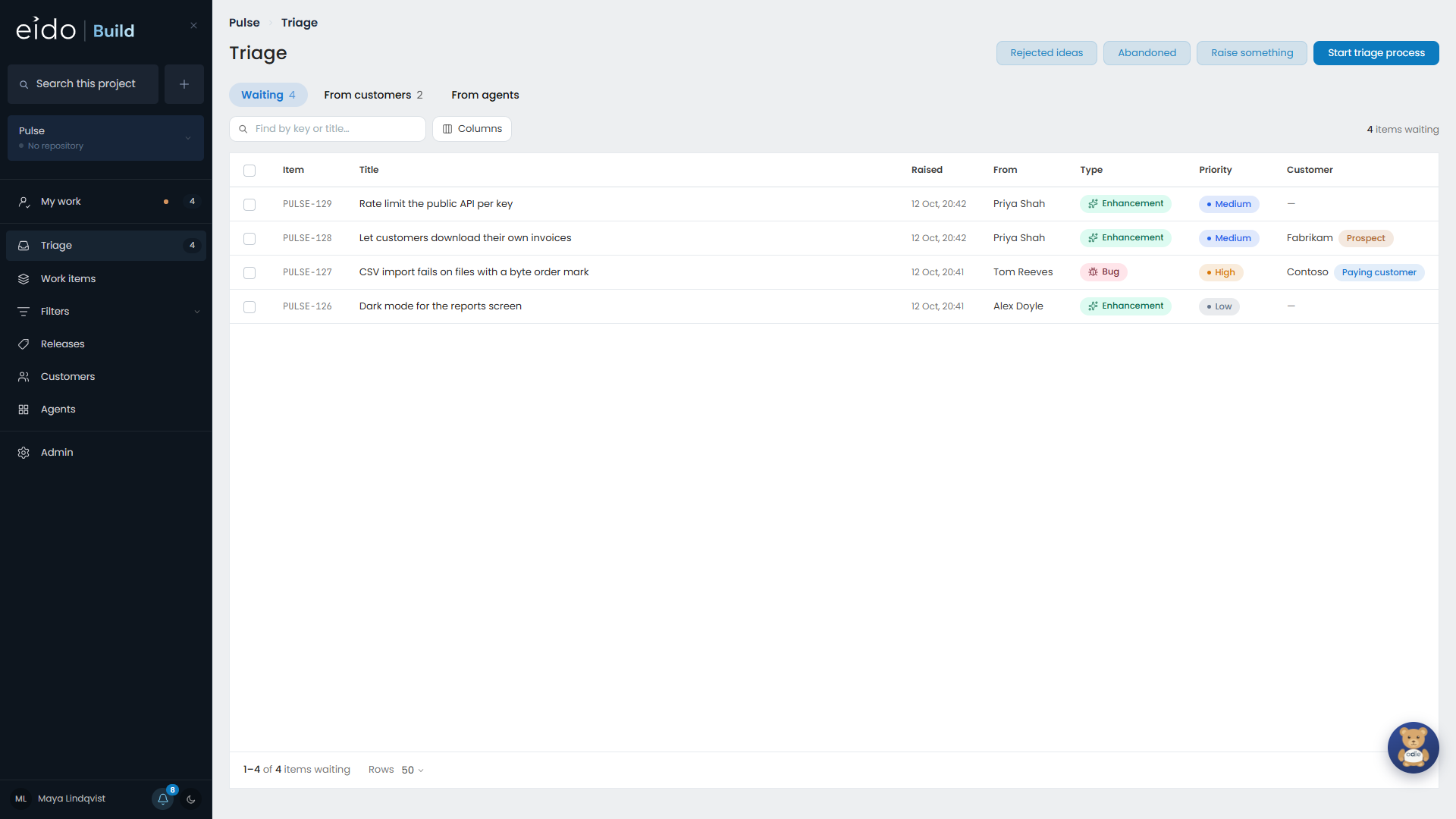
Triage is the list of everything that has been raised and not yet decided. Anything can be written down there, and most of it should be looked at by a person before it becomes work. Nothing in Triage appears on the board.
Anybody who can see the project can read Triage and raise into it. Approving and rejecting need the Triage permission on that project.
Approve something#
Open a row to read it in full, then approve it. Approving asks two things:
- Which workflow it will follow. If a workflow has claimed this type of work, such as a bug fix workflow for bugs, it is already selected. You can change it.
- Which release it ships in, on a project with releases. Choosing none is Add to backlog: agreed to, with no date yet.
When you approve, an owner is named for each team the workflow involves.
When does it start?#
| The project | What approving does |
|---|---|
| Has releases, and the release you chose is in progress | Starts the work now. |
| Has releases, and the release you chose is still planned | Queues it until that release is opened. |
| Ships continuously | Starts the work now. |
| Is set to start work manually | Records the decision and queues it behind a Start button, whatever the release is doing. |
Starting work cuts its branch and begins the first stage, which may be an agent session that costs money. That is why some projects prefer to start things one at a time.
Reject something#
Rejecting takes a reason. The work item is kept, with the reason on it, on the Rejected ideas list, which you reach from a button at the top of the Triage screen.
From there anything can be sent back to Triage. When a customer asks again six months later, the answer is often the ticket you already wrote.
Fix the wording first#
A badly written ticket can be fixed on the way past. Fix the wording lets you edit the title and description from the row, and Rewrite with AI is there too.
Triage as a meeting#
Start triage process takes over the window and shows one item at a time, with its full description, sized for a room looking at one screen or a tablet on the table.
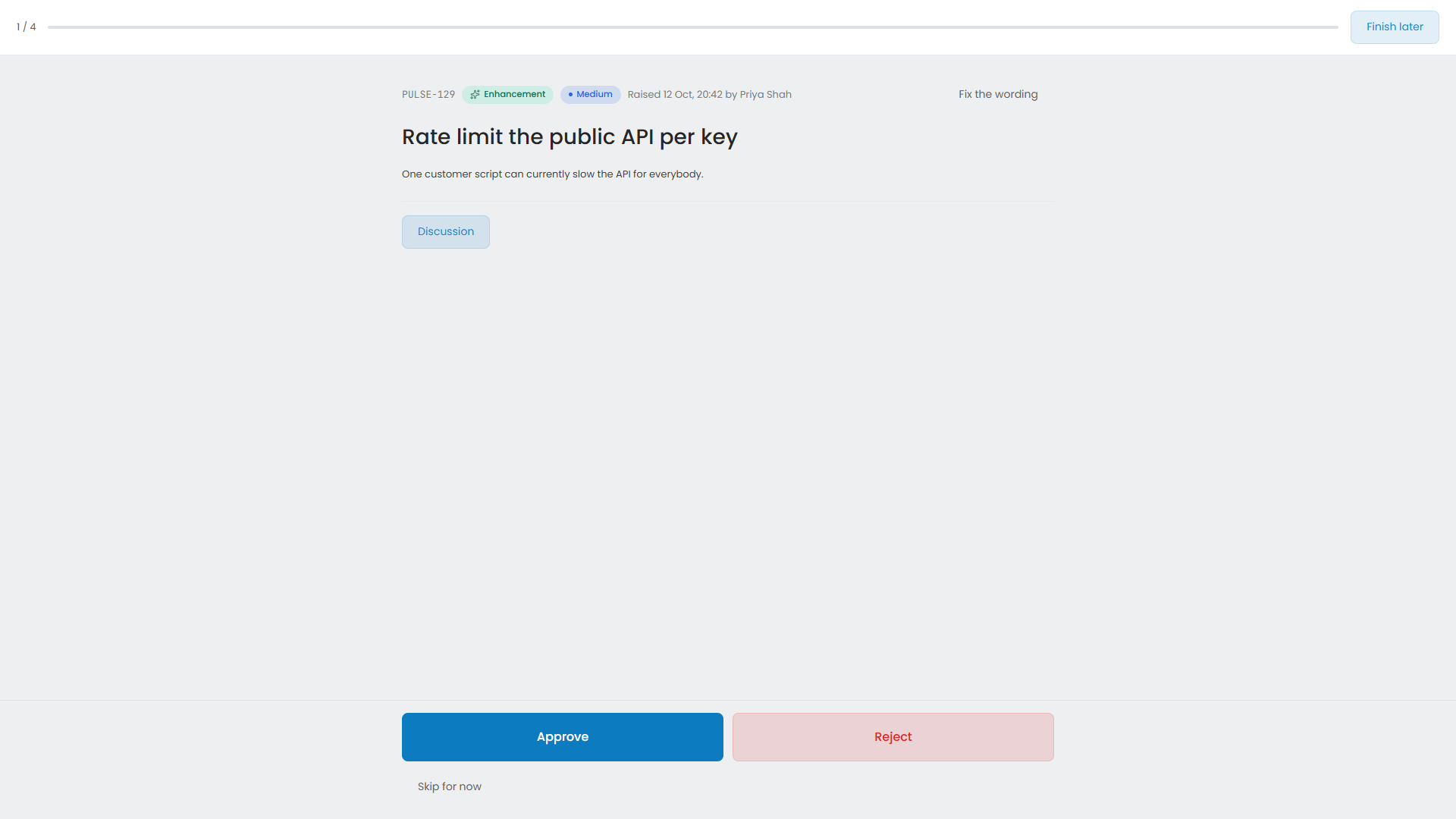
- Approving is two taps: approve, then which release.
- Rejecting offers the reasons that usually come up, and a box for anything else.
- Skip decides nothing. The item is still in the list afterwards.
- Discussion opens the item’s discussion, for the sentence somebody says out loud that should not be lost.
By customer#
The From customers tab gathers what is waiting under whoever asked for it. It answers “what have we left them waiting on” before a call with that customer. Requests are ordered by the customer’s weight, so a paying customer’s requests come first.
Suggestions from agents#
When a standing agent raises a suggestion, it arrives in Triage as a work item raised by that agent, with the agent’s reason at the foot of the description. The From agents tab gathers them. You approve or reject one like anything else.
Agents search for existing work before they raise anything, and Eido Build screens what arrives. An obvious repeat is dropped. A near miss is let through with a note such as “May duplicate PULSE-123”, so that you make the call.
Several at once#
Tick rows to act on them together: approve them, set a release, change the priority or type. Anything that could not be done is named, so you are never left guessing which rows were skipped.