
Admin → Integrations has two parts.
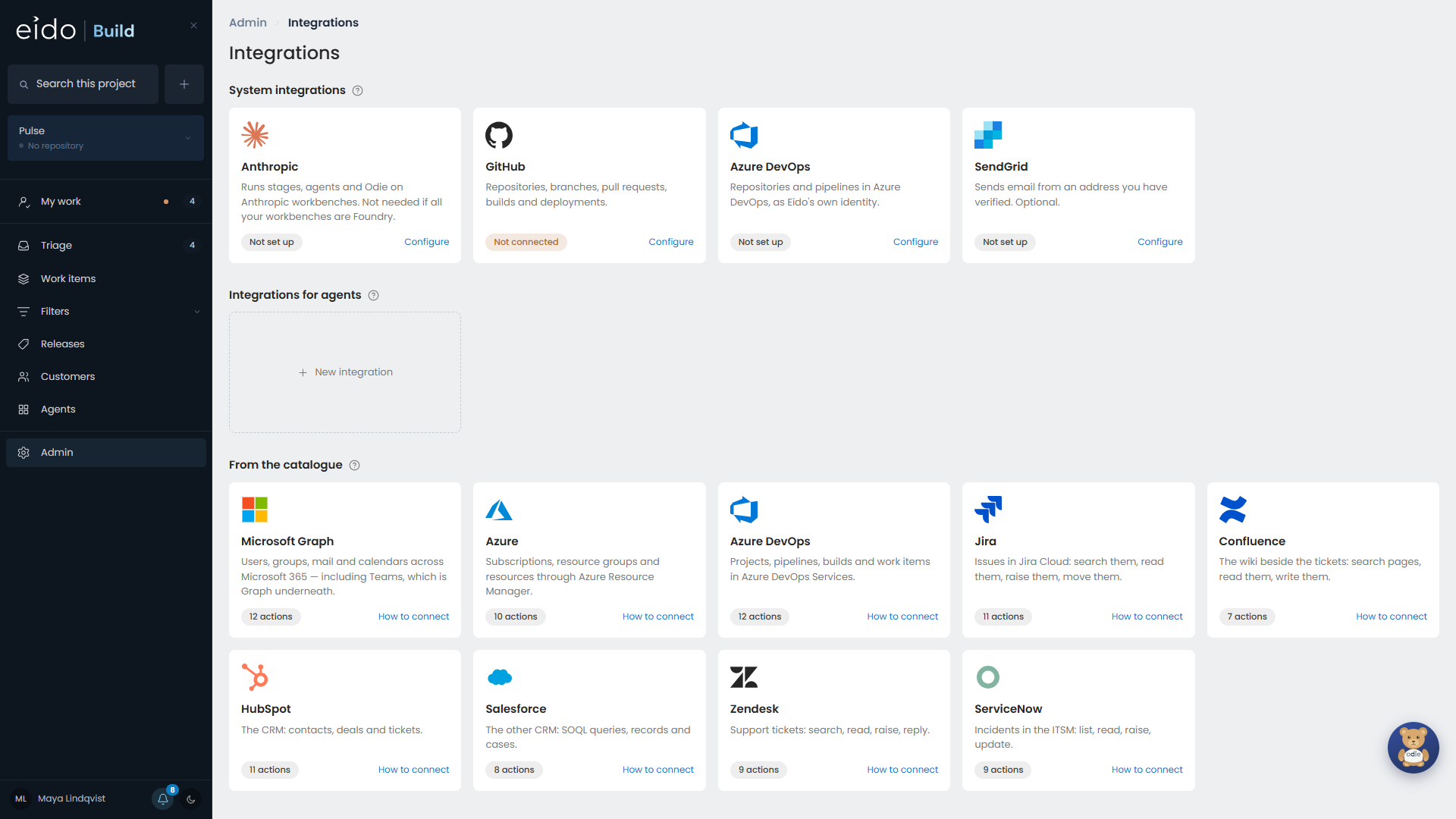
System integrations#
What Eido Build itself runs on: GitHub, Azure DevOps, the Anthropic API key if you use Anthropic workbenches, and SendGrid for email. Their credentials cannot reach an agent.
Integrations for agents#
Everything an agent can do in another system: create a ticket in Jira, post in Teams, look up a customer in HubSpot. The rest of this page is about these.
An agent is granted an action, not a key#
An integration describes an external API once: where it lives, how it signs in, and which secret holds the credential.
The actions under it are the units of permission. An action is one thing the API can do, with the method, path and body fixed by an admin. The agent supplies only the parameters you declared.
When an agent calls an action, Eido Build makes the request and adds the credential on its own side. The agent sees the result and never the credential. A super admin key behind an action called hubspot_new_email can still only ever make that one call.
Add an integration from the catalogue#
Eido Build ships with templates for ten platforms:
| Microsoft Graph, including Teams | Azure | Azure DevOps |
| Jira | Confluence | HubSpot |
| Salesforce | Zendesk | ServiceNow |
| SendGrid |
Adding one creates the integration, a starter set of actions, and an empty secret with the right name for you to fill in. Each comes with a guide to creating the credential: which portal, which scopes, which values to replace.
Jira and Confluence share one secret. SendGrid is a system integration first, so it is not in the catalogue strip. Expose send_email to agents on its own tile is how agents get it. See Email.
Add your own integration#
Give Eido Build the API’s base address and how it signs in.
| Sign-in | For |
|---|---|
| API key in a header | Most simple APIs. |
| Basic | A username on the integration and a token in the secret. Used by Jira and Confluence. |
| OAuth2 client credentials | Microsoft Graph, Azure, Salesforce. Eido Build fetches the token, caches it and renews it. |
You can create the secret from the integration’s own form.
Add actions#
There are three ways to add an action.
- Write it. Give it a tool name, a description written for the model, and the request: method, path, body and the parameters the agent fills in.
- Generate. Describe the action in a sentence and Eido Build drafts it for you to check.
- Import from a spec. Upload an OpenAPI document or a Postman collection. Every operation becomes a candidate in a list you can search and tick. Nothing is created until you tick it.
Script actions#
For an API too irregular for a request template, an action can be a script: JavaScript that Eido Build runs itself. A script can only reach the integration’s own host and any hosts you allow, and its calls to that host are signed for it. A run is limited to 20 calls and two minutes. There are no packages to install.
Allow raw requests#
Allow raw requests lets an agent make any request to the integration’s base address. It is still signed by Eido Build and still logged. Turn it on only for the one agent you trust with everything that credential can do.
Grant actions to an agent#
In the agent’s editor, choose which actions it may perform: none, chosen actions, or everything including actions added later. See Setting up agents.
Limits and the log#
- Each action has a cap on how many times it may be called in one run.
- A call that takes longer than 30 seconds fails, so a slow API does not hang a run.
- Responses are scrubbed of the credential, in case the API echoes it back.
- Every call is recorded in a log, including the ones that were refused.