
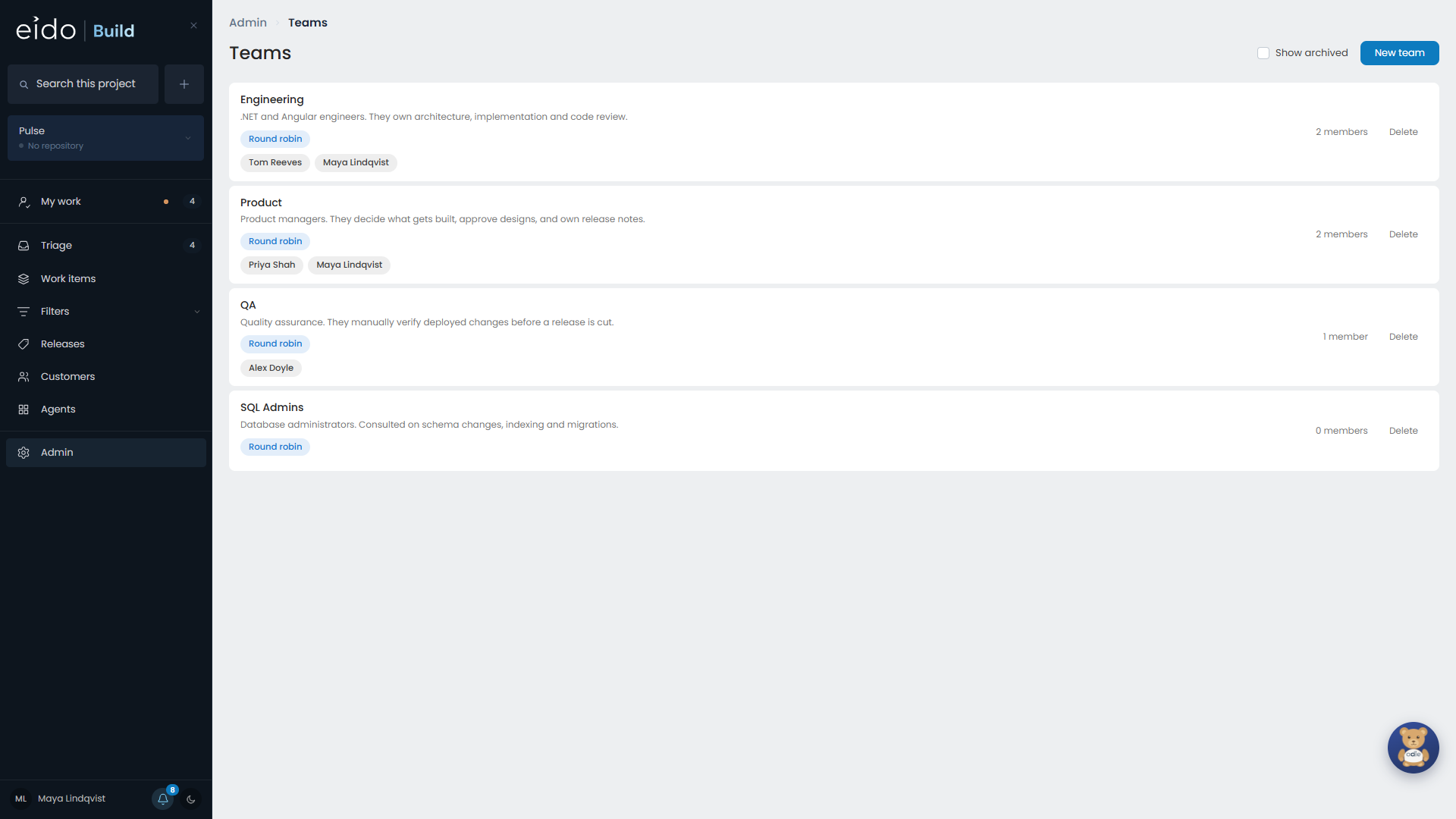
A team is a group of people who do the same kind of work: Product, Engineering, QA, or whatever your organisation has. Workflows are written in terms of teams, never individuals.
Teams are managed in Admin → Teams.
What teams are used for#
Taking part in a stage. A stage lists the teams whose members work on it.
Approving a stage. A stage held for approval lists the teams who sign it off. This list is separate from the first, so QA can test a change while Engineering decides what happens to what QA found.
Owning work. When a work item is approved at triage, one owner is named from each team its workflow involves.
The workflow decides who owns a work item#
There is no fixed set of owners. A database change that goes from a DBA stage to QA to merge has two owners, and neither is a product manager. A copy fix with one product stage has one.
The owners are whichever teams the workflow’s stages name, for taking part or for approving.
How a team picks an owner#
Each team has one setting: how it chooses the member who gets the next piece of work.
| Rule | Who gets it |
|---|---|
| Round robin | Each member in turn. The default. |
| Always the same person | One named member. Useful for a team of one, or a lead who looks at everything first. |
| Least busy | Whoever owns the fewest work items still in flight. |
| Nobody | Nobody. The slot is left empty for somebody to fill. |
The rule only produces a starting point. Every owner can be changed on the work item, and an empty slot stays visible there so that it gets filled.
Tasks and teams#
When somebody raises a task they choose a team, and optionally a person. If they leave the person empty, the team’s rule picks.