
A project’s workflows are in Admin → Projects → Workflows. A project can have several, for different kinds of work.
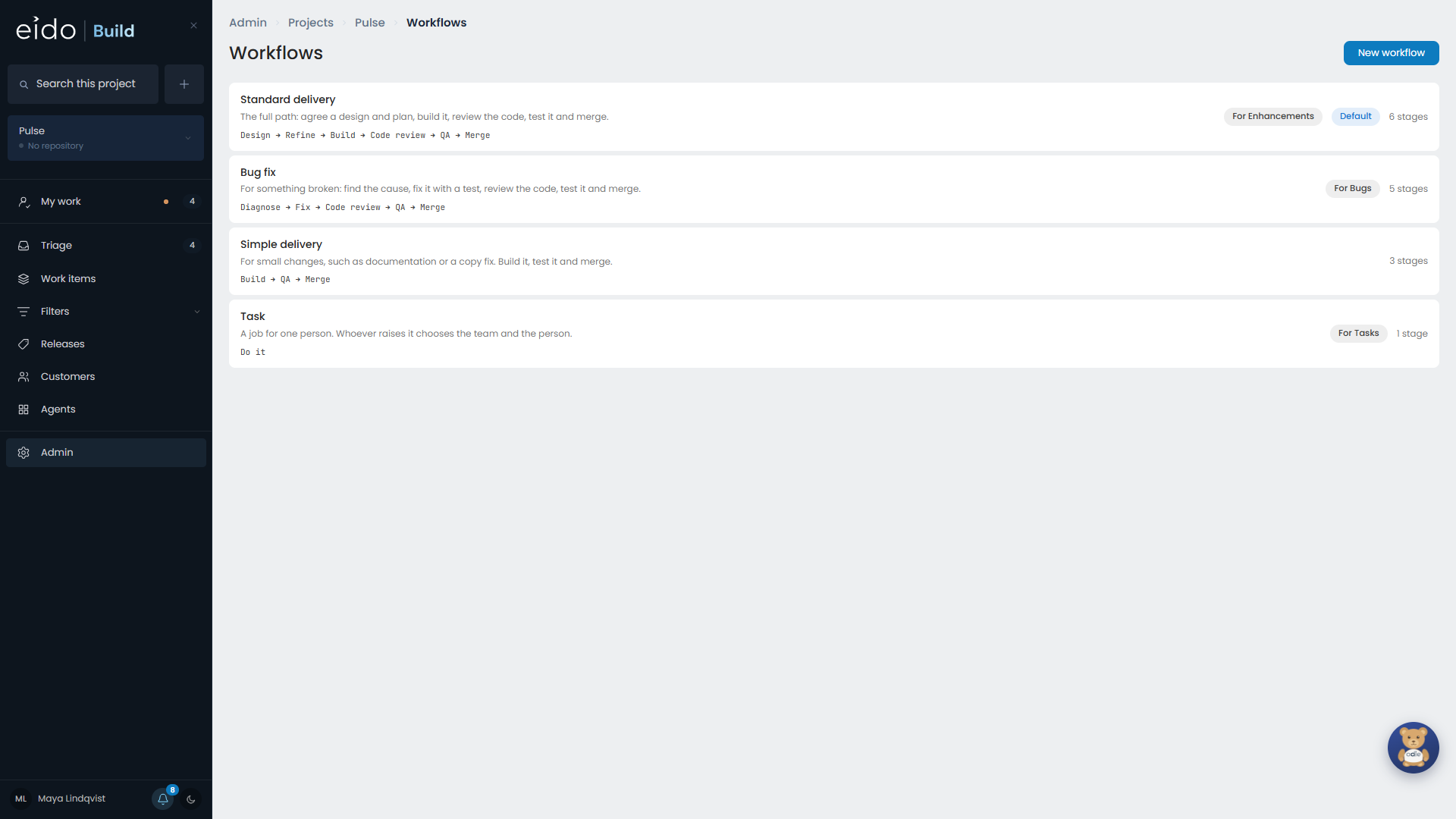
Start from a template#
| Template | Stages |
|---|---|
| Standard delivery | Design, Refine, Build, Code review, QA, Merge |
| Bug fix | Diagnose, Fix, Code review, QA, Merge |
| Simple delivery | Build, QA, Merge |
| Empty | None |
The stages are copied in and are yours to change.
Claim a kind of work#
Set a work item type on a workflow and Triage selects that workflow for work of that type, such as the bug fix workflow for bugs. One workflow per type per project. Whoever is triaging can still choose another.
Settings every stage has#
| Setting | What it does |
|---|---|
| Teams taking part | Whose members work on the stage. Leave it empty on a task workflow and the stage takes the team the work was raised for. |
| Hold for approval | Parks the stage when its work is done, until an approving team signs it off. |
| Approving teams | Who signs it off. Separate from the teams taking part. |
Agent stages#
| Setting | What it does |
|---|---|
| Instructions | What the agent is asked to do and what it should produce. |
| Model | Which model the stage runs on. An admin can change it for one work item. |
| Workbench | Where it runs, if different from the project’s. |
| Spend cap | The most one session may cost, in US dollars. |
| Puts code on a branch | Gives the work item its Build view once this stage has run. |
| The agent may add acceptance criteria | Lets the agent write criteria straight onto the work item’s list. |
Tools#
An agent stage can be given tools, each one a tick box.
- Project actions. Tick the actions the agent may run. It runs them by name and cannot change the script or pass arguments. See Project actions.
- Wait for deployment. Lets the agent wait for its own changes to deploy before carrying on.
- A Windows 365 Cloud PC. Lets the agent test in a real browser. Set how many Cloud PC hours the stage may use, from 1 to 8. See Windows 365.
QA review stages#
| Setting | What it does |
|---|---|
| Testing team | Who passes and fails acceptance criteria. |
| Deciding team | Who decides which bugs are fixed now. |
| The agent tests first | The stage’s agent works down the criteria and gathers evidence before a person reviews. |
| Fixes go back to | The stage that bugs to fix now are sent to, usually Build or Fix. |
| Deployed from | Which branch’s deployment the stage waits for, for example uat. |
See Acceptance criteria and QA.
Merge stages#
| Setting | What it does |
|---|---|
| Target branch | The branch the pull request goes into. Empty means the project’s default branch. |
| Merge method | Squash, or a merge commit. |
| Delete the branch after merging | The default for work on this workflow. It can be changed on each work item until it merges. |
A workflow can have more than one merge stage, for example into uat and then into main.
Manual stages#
A manual stage is something a person does. Write what they have to do in the stage’s instructions. Add Hold for approval if the work should be checked.
Editing a workflow that is in use#
When a work item starts, its stages are copied from the workflow. Your edits apply to work that starts afterwards and never disturb work in flight.
To move one work item onto a different workflow, change it on the work item. See The work item page.