
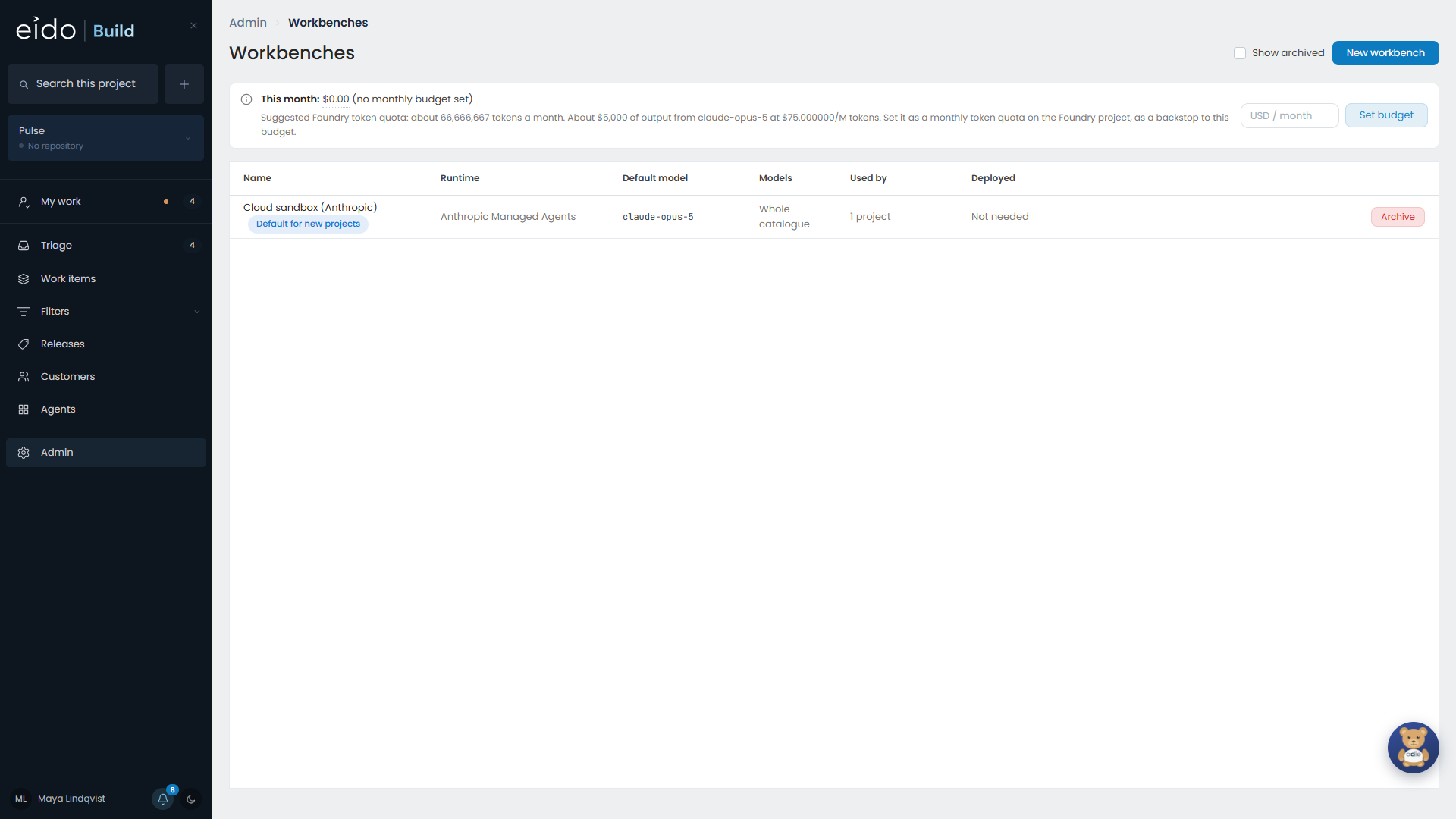
A workbench is where an agent runs. It gives the agent a cloud sandbox with the project’s repository in it, and a model to think with.
Workbenches are managed in Admin → Workbenches.
Two kinds#
| Kind | Where it runs | Models | Credential |
|---|---|---|---|
| Anthropic Managed Agents | Anthropic’s platform | Claude | An Anthropic API key, in Integrations |
| Foundry Hosted Agents | A sandbox in your own Azure tenant | The models deployed in your own Foundry project | None. Eido Build uses its own Azure identity. |
Nothing in Eido Build is tied to one of them. An installation that runs everything on Foundry needs no model credential at all.
Where a workbench is chosen#
- A project picks a workbench for its work.
- A stage can override the project’s choice.
- A standing agent has its own.
- Odie has its own.
So you can, for example, run coding stages in your own tenant and leave a research agent on Anthropic’s platform.
Models#
Each workbench offers the models it can run. The model pickers on stages, agents and Odie show only what that workbench serves.
For a Foundry workbench, those are the models deployed in your Foundry project. See Foundry.
Work in flight keeps its workbench#
When a stage starts, the workbench it started on is recorded with it. Changing a project’s workbench affects stages that start afterwards. A running stage carries on where it began.
After an update#
A Foundry workbench runs a small worker inside each sandbox. Each version of Eido Build builds its own worker when it first starts.
After updating Eido Build, press Deploy on each Foundry workbench to move it to the new worker.
The monthly budget#
The cap on what agents may spend in a month, across every project, is set on this screen. See Costs and budgets.
Azure DevOps#
Projects whose repositories are in Azure DevOps run on Foundry workbenches. See Azure DevOps.