
Cutting a release is a period, not a single press. The release is frozen and checked while there is still time to act on what the checks find, and only then shipped.
Running a release needs a project admin.
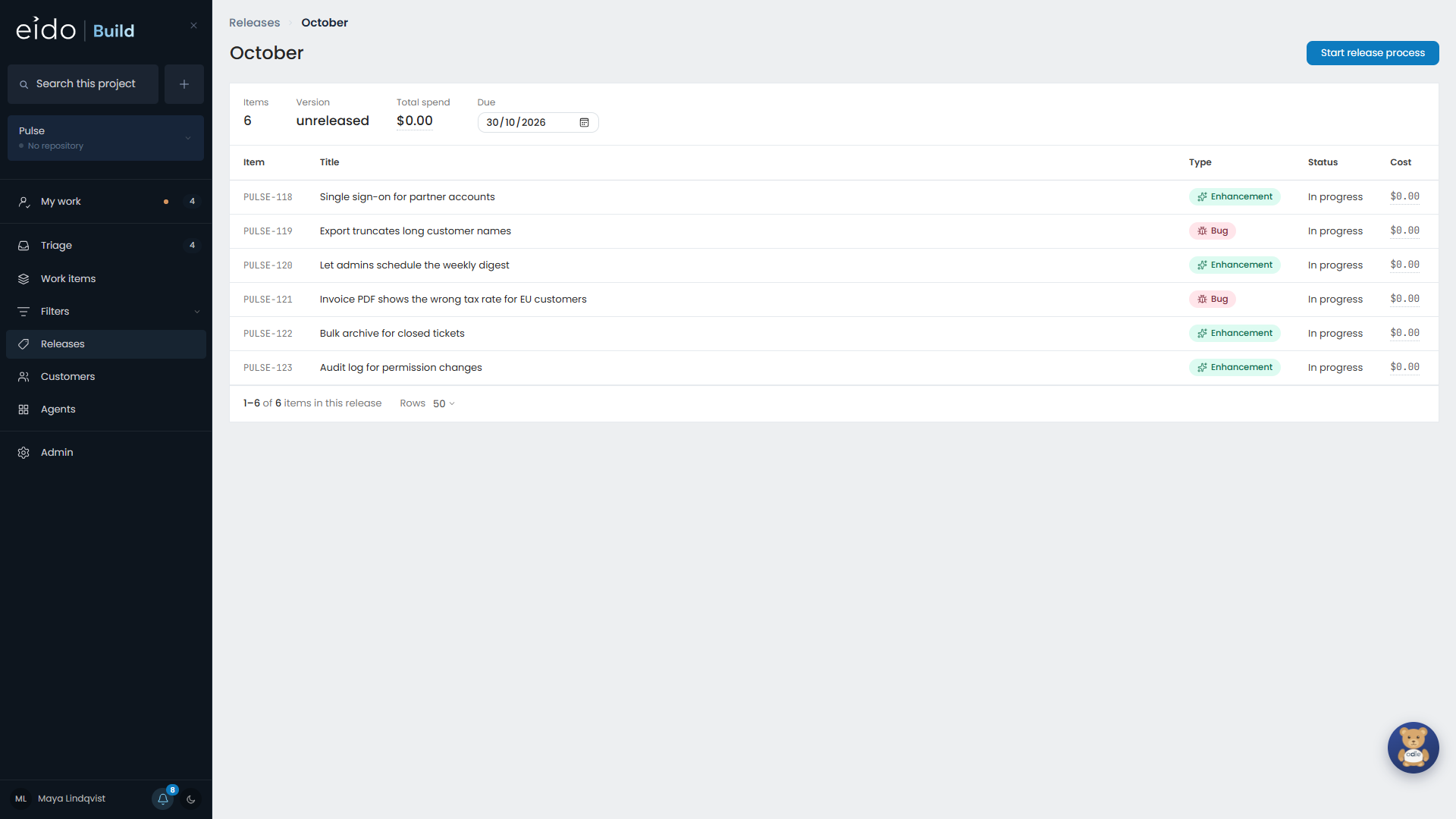
1. Start the release process#
Start release process does two things.
- It freezes the release. From now on it takes no new work.
- It sends off the checks: every agent scheduled to run when a release is cut, such as a security reviewer that reads the code going out.
The next release stays on the plan and collects whatever is triaged from here on. That work is queued, not started.
2. Decide on the findings#
Each check writes a report and may raise findings. Every finding needs one of four answers.
| Answer | What happens |
|---|---|
| Fix it in this release | It becomes work in this release, and the release is held until it is done. |
| Defer it | It goes into a later release. |
| Leave it in triage | It waits in Triage to be decided like anything else. |
| Turn it down | It is rejected, with a reason. |
The reason is optional and worth writing. It is what stops the same finding arriving again at the next release.
3. Release now#
Release now is refused until all of these are true:
- every finding has been decided
- nothing in the release is unfinished
- no check is still running
The reasons are listed on the release, so you can see what is in the way.
When it goes ahead, Eido Build:
- Gives the release its version number, counted from the project’s last released version.
- Tags it in the repository.
- Gathers the release notes from each work item’s own notes.
Opening the next release#
Release now has a tick box, ticked to start with, that names the next release and says how many work items opening it would start. For example: “then open December · 2 would start”.
Leave it ticked to keep the usual rhythm. Untick it if you would rather not start a dozen agent sessions at that moment, such as late on a Friday. The next release then stays planned until somebody presses Start work on this release.
Cancelling a cut#
If the checks turn up something that means the release should not go, cancel the release process. The release goes back to being in progress and nothing has to be undone, because the next release was never opened.
Release notes#
The notes for a release are put together from the work items in it. If a work item’s workflow has a stage that writes release notes, those are used.