
A customer is anybody who asks you for things. Recording who asked for what answers two questions that otherwise live in somebody’s head: how much a request should weigh, and what to tell a customer when they ask where it is.
Everybody has the Customers page. Adding, changing and archiving customers is for admins.
Customers are shared across projects#
A customer is a customer whichever product they are talking about. They are set up once and can be attached to work in any project.
Weight#
Every customer has a weight, which says how loudly their requests should be heard.
| Weight | |
|---|---|
| Paying customer | Heard first. |
| Partner | |
| Prospect | The default for a new customer. |
| Lead | Heard last. |
Lists of customers are sorted by weight, and Triage groups requests the same way.
::figure[Customers, heaviest first.]{name=“customers”} The weight is shown on the work item’s row in Triage, because that is where it matters: two requests alike in every other way, and one is from somebody paying you.
New customers start as a prospect on purpose. The expensive mistake is marking a lead as paying and having their requests sit at the top of everybody’s list.
Attaching customers to work#
Add customers when you raise a work item, or at any time from the work item’s page. A work item can be for several customers.
An admin can add a new customer from the work item form itself, without leaving it.
A customer’s page#
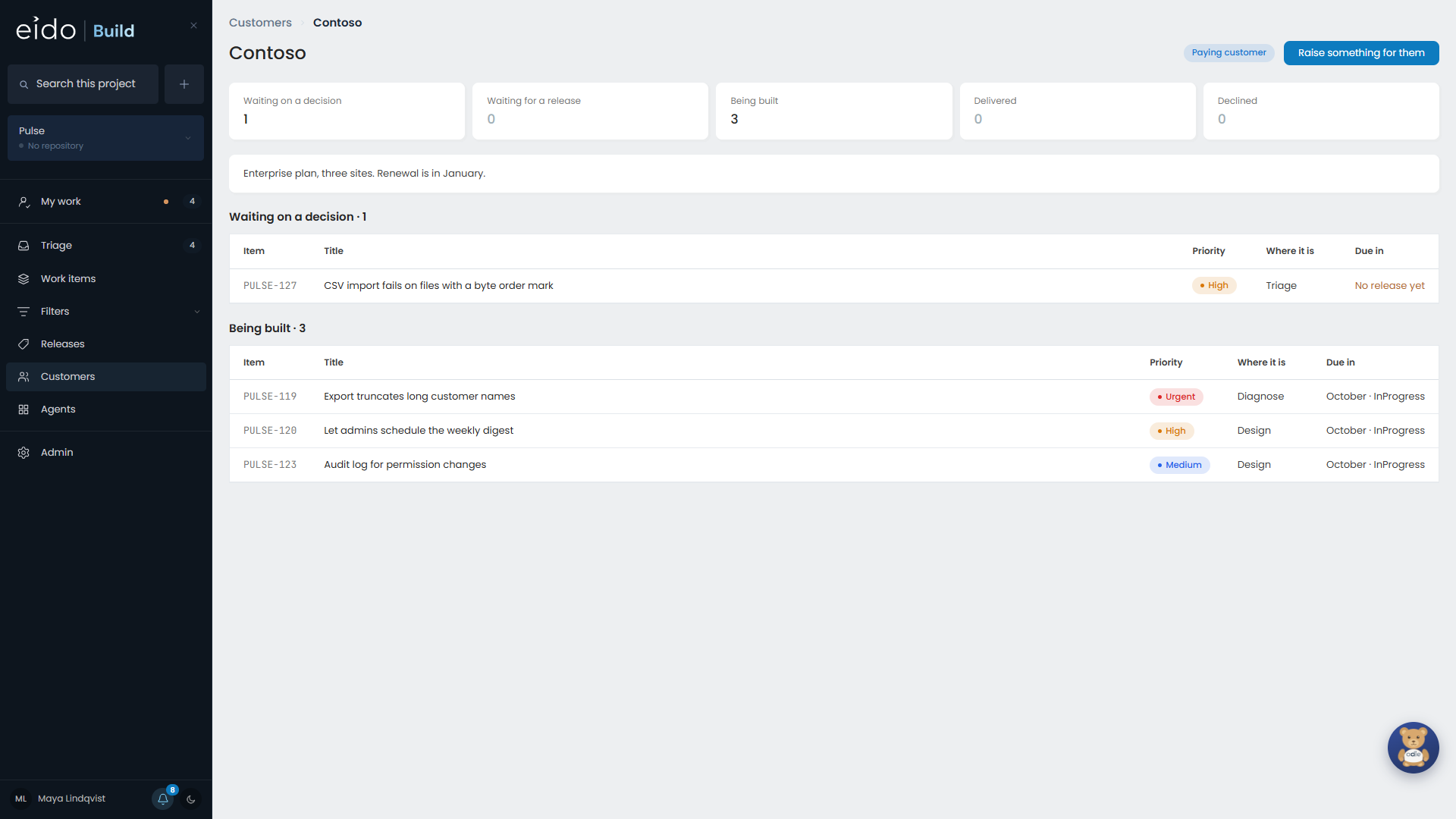
Open a customer to see everything they have asked for, in every project you can see, and where each request has got to. It is the page to open before a call with them.
In Triage#
Triage has a tab that gathers what is waiting under whoever asked for it. See Triage.
In search#
A customer appears in search only when they have asked the current project for something, and the counts beside them are for that project.