
Discussion#
Every work item has a Discussion tab. It is where people talk to each other about the work, and it is there from the moment something is raised, including while it is still in triage.
It is separate from a stage’s conversation. A stage’s messages are one session with an agent and end when the stage does.
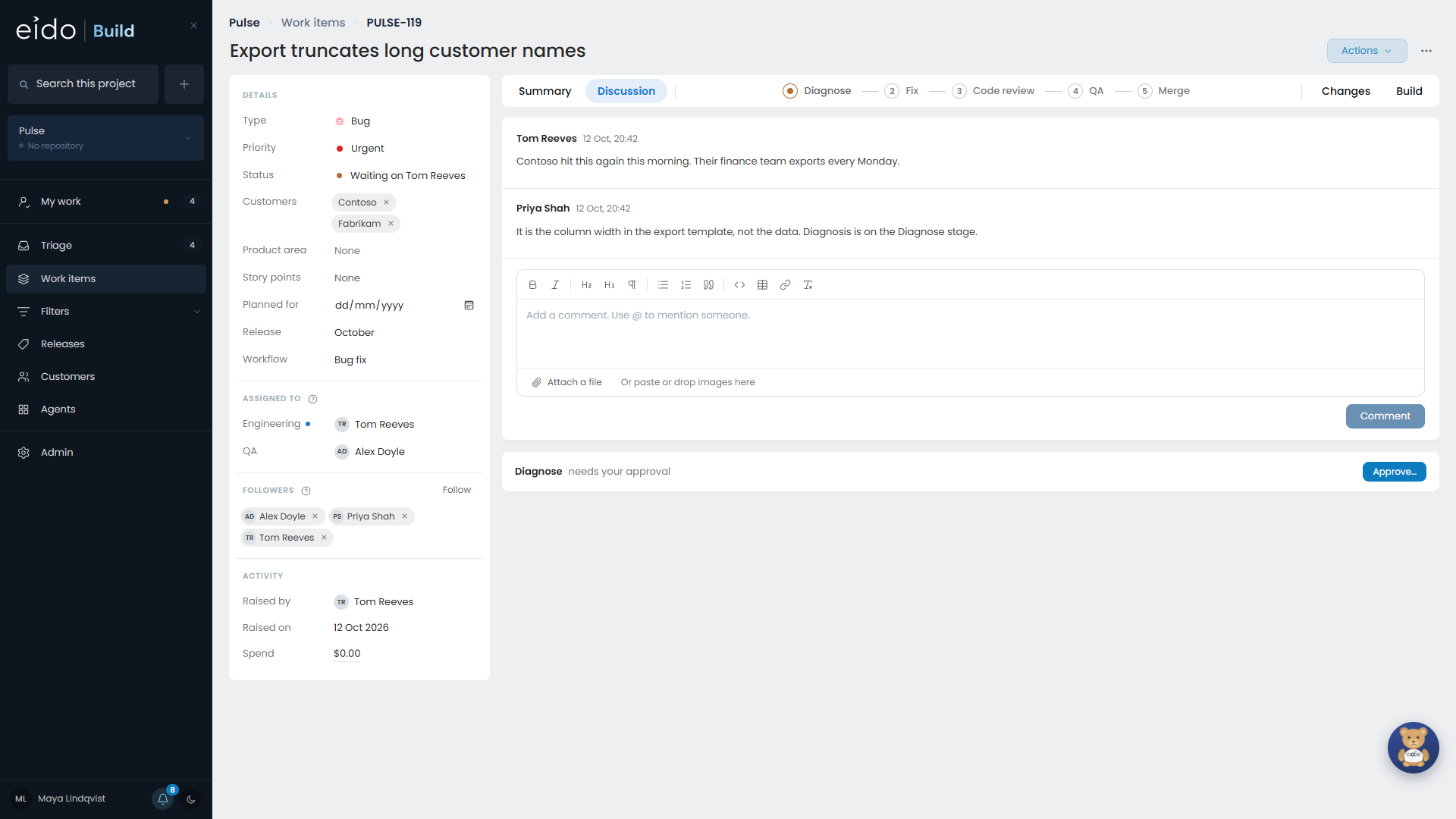
- The box is the same rich text editor a description uses, so screenshots paste straight in.
- Type @ to mention somebody. They are told, and they start following the work item.
Following#
Following is how you hear about a work item. You follow one automatically when you:
- raise it
- comment on it
- are assigned to it
- are mentioned in it
The Discussion tab lists who is following. Unfollow takes you off.
Followers hear about every stage the work reaches. If you raised a work item you are told when its state changes even if you have unfollowed it.
Notifications#
Your notifications are in one list, under your name, with a count of the unread ones. A row that is there because you follow something has an Unfollow button on it.
A notification names the work item and who did what, for example “PULSE-142 moved to Merge”.
How you are told#
The first time you sign in, Eido Build asks how you want to be told. You can change your answer at any time from the same menu.
| Channel | What it does |
|---|---|
| In the app | Always on. New rows appear in the list as they happen. |
| Browser | A notification from Chrome or Edge when the Eido Build tab is not in front of you. On Windows it lands in the notification centre. |
| An email when you are assigned something, or when something you raised changes state. |
Email#
Emails are deliberately few: you were assigned something, or something you raised changed state. Each one says why you are being told, and has a button that opens the work item if your administrator has set Eido Build’s address. See Email.
What does not notify yet#
Notifications cover work items. A standing agent raising a suggestion does not notify anybody. The suggestion waits in Triage until somebody looks.