
Anybody who can see a project can raise work in it.
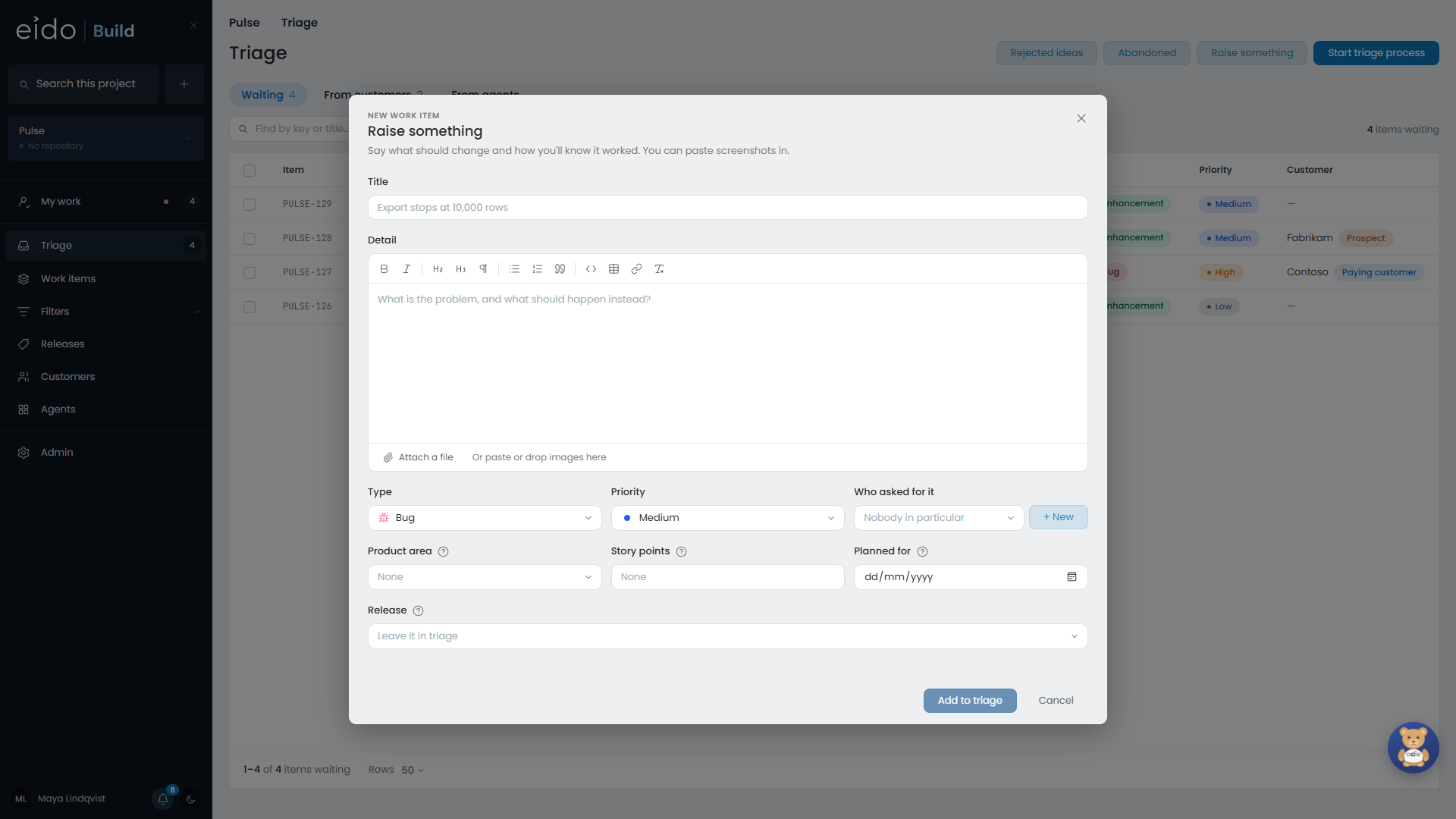
Raise a work item#
- Open Create and choose the kind of work, for example New bug. Raise something on the Triage screen opens the same form.
- Give it a Title that says what is wrong or what is wanted.
- Write the Detail. Say what should change and how you will know it worked.
- Set the Priority: Low, Medium, High or Urgent.
- Under Who asked for it, add the customers it is for, if any.
- Press Add to triage.
The type is still a dropdown on the form, so if you realise it is really a bug you can change it without starting again. The type decides which questions the form asks. A task, for example, asks who it is for and when it is due, and does not ask for a release.
The description#
The description is a rich text box.
- Screenshots paste straight in. A picture of the problem is usually worth more than a paragraph about it.
- Tables are there for the small grids people otherwise screenshot from a spreadsheet. Tab moves between cells and adds a row at the end.
- Files can be attached.
Rewrite with AI#
Rewrite with AI tidies what you typed into something an engineer can start from. It keeps to what you wrote: it does not invent requirements or add sections nobody asked for. The result lands in the box, and nothing is saved until you press Save.
Customers#
Add every customer the request came from. A work item can be for several customers, and each one’s page then lists it.
If the customer is not in Eido Build yet, an admin can add them from the same form without losing what has been typed. New customers start as a prospect. See Customers.
A release#
On a project with releases, you can put a new work item in a release as you raise it. Left alone, Release says “Leave it in triage”, and triage decides.
A release that is being cut takes nothing new, except a fix for something its checks found.
What happens next#
Most types go through Triage, where somebody decides whether the work is done. A type that skips triage, such as a task, starts as soon as you save it.
You follow everything you raise, so you are told when it is approved, rejected, or reaches a new stage.