
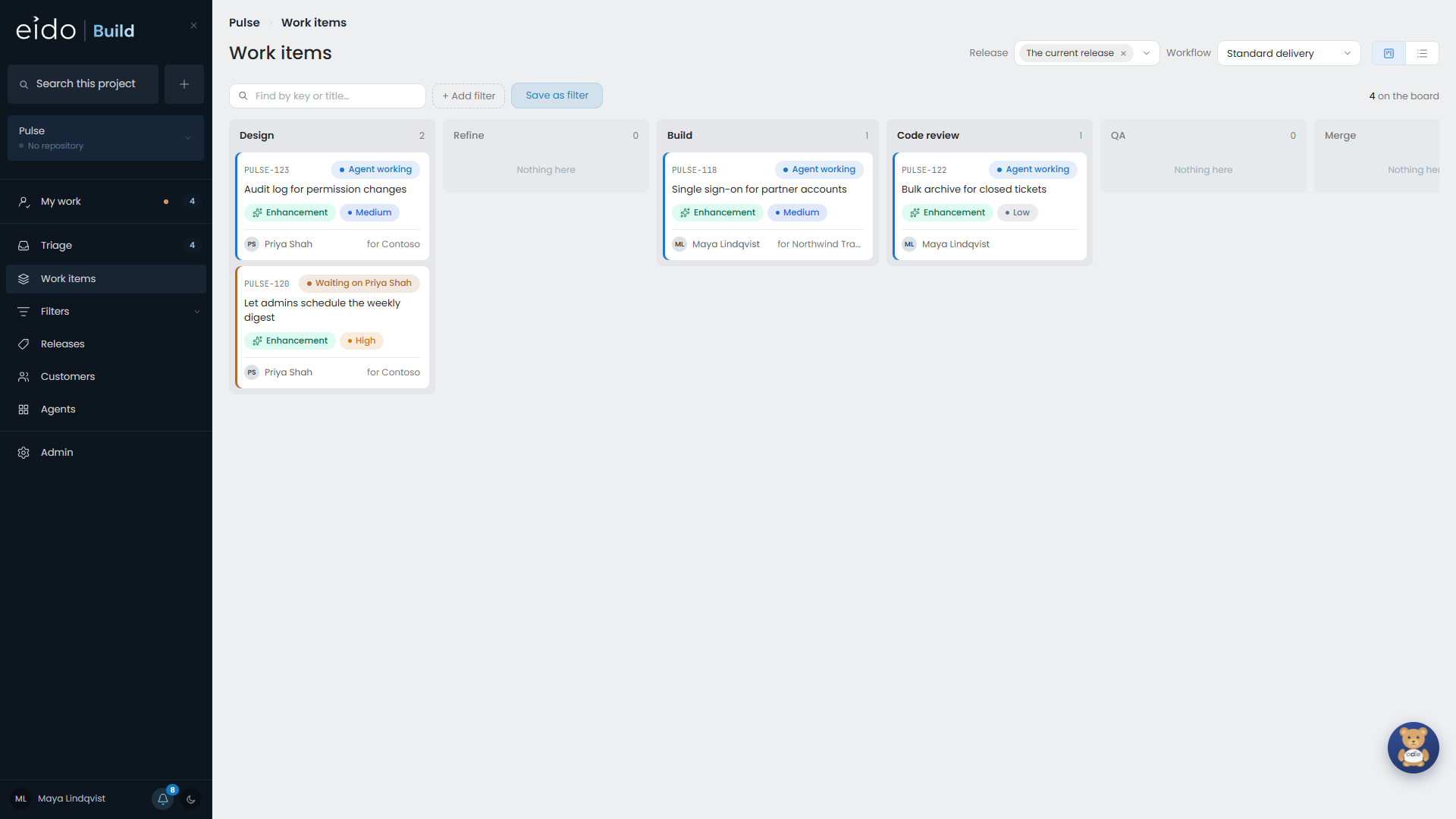
Eido Build is where a software team raises work, agrees to it, and gets it built. Every work item goes through a workflow that your administrators design. In that workflow:
- some stages are conversations with an agent, such as designing a change, building it, or reviewing the code
- some are decisions by people, where a named team approves before the work moves on
- some are steps Eido Build performs itself, such as opening the pull request, waiting for it to be approved, and merging it
You stay in charge of what gets built and what ships. The agents do the reading, the writing and the legwork in between.
What is in it#
| Part | What it is for |
|---|---|
| Work items | The bugs, enhancements and tasks your team raises. Each has a type, a priority, the customers who asked for it and a discussion. |
| Triage | Where everything raised is looked at once and either agreed to or turned down, with a reason. |
| Workflows | The stages a work item goes through. A bug can take a different path from a feature. |
| Releases | Work gathered into a release, frozen, checked and shipped. A project that deploys continuously can do without them. |
| Agents | Standing agents that run on a schedule rather than on a work item: a security reviewer, a product researcher, a dependency watcher. |
| Odie | The assistant on every page. It can read everything you can, and anything it wants to change becomes a button for you to press. |
Where the agents work#
An agent stage runs on a workbench: a cloud sandbox with your project’s repository in it, so the agent can read the code, and a coding stage can branch, commit and push. A workbench is either Anthropic’s Managed Agents or a Foundry Hosted Agents sandbox in your own Azure tenant, using the models deployed in your own Foundry project. Your administrator chooses which, per project and per stage.
Agents are never handed a credential. When an agent needs to call another system, an administrator grants it a specific action, and Eido Build makes the call on its behalf.
Who does what#
What you can do is set per project by an administrator.
| You are | You can |
|---|---|
| A member of a project | Raise work, take part in stages, comment, follow work, read releases and agents’ reports, and ask Odie. |
| Someone with Triage | Also approve or reject what is waiting in Triage. |
| A project admin | Also approve any stage, start work, run releases, and change a workflow, model or budget on that project. |
| An admin | Everything a project admin can, on every project you can see, plus the Admin screens. |
Seeing what things cost is a separate permission, See costings, even for admins.
Where to go next#
- Key concepts The dozen words the rest of this guide uses.
- Your first work item Raise something and follow it to a merge.
- How a workflow runs Stages, who has them, and what the colours mean.
- After you install For administrators setting Eido Build up.