
Acceptance criteria#
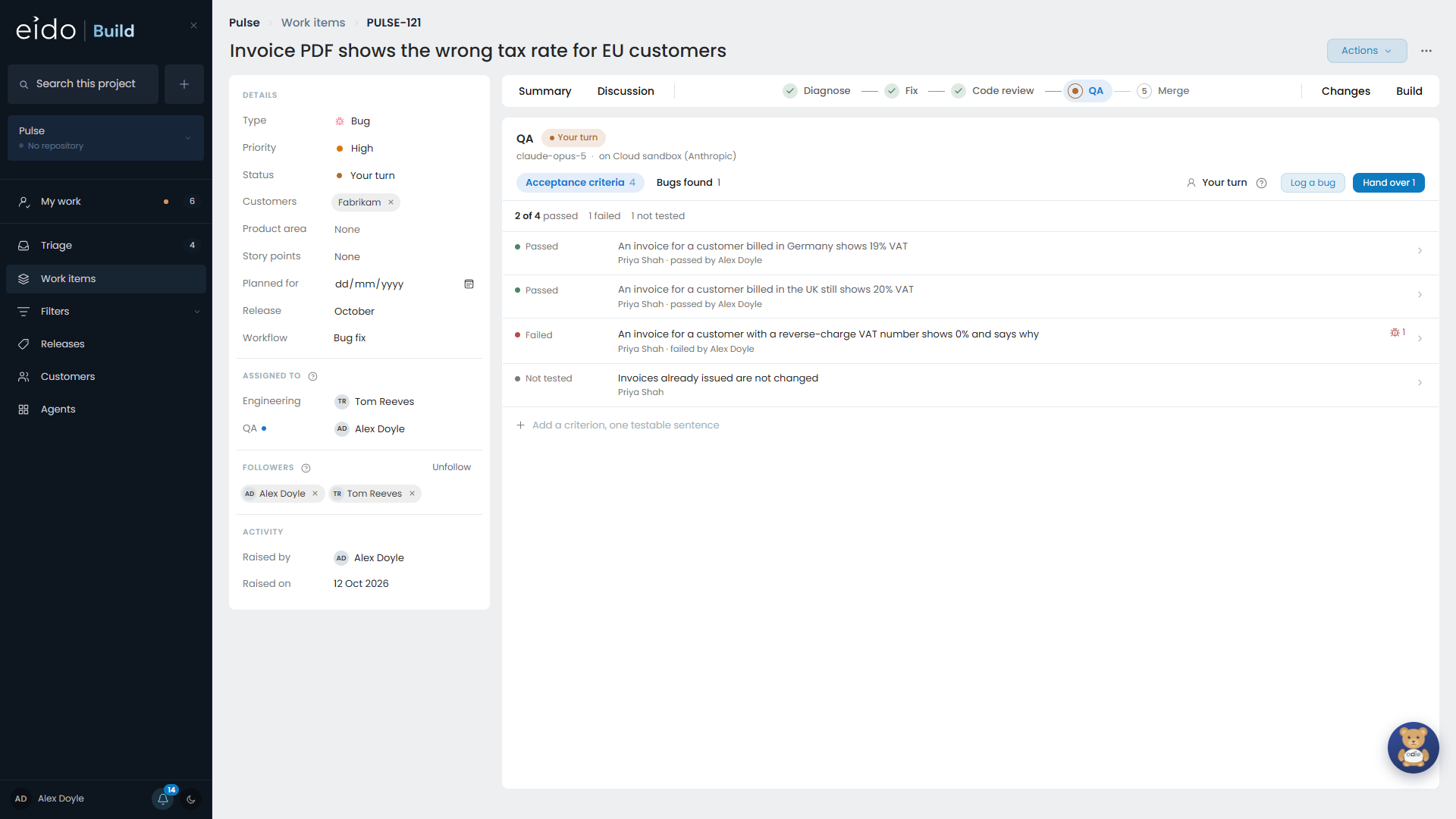
A work item carries a list of acceptance criteria: the handful of things somebody will sit in front of the screen and check. The QA stage has that list at the top.
Who writes them#
Anybody can add a criterion. So can an agent, on a stage that allows it. The Design, Refine and Diagnose stages allow it in the stock workflows.
There is no step where criteria are accepted. What is written goes straight onto the list, marked with who wrote it: a person’s name, or the stage for an agent, such as “AI · Diagnose”.
If you disagree with a criterion, remove it, with a reason. The removed criterion is kept on record, so if a later stage has the same idea it is recognised and not added again.
The states of a criterion#
| State | Meaning |
|---|---|
| Not tested | Nobody has looked yet. |
| Being tested | The QA stage’s agent is on it now. |
| Needs a person | The agent could not test all of it. It says what is left and why. |
| Ready for review | There is evidence waiting for somebody to look at. |
| Passed | A person looked and it is right. |
| Failed | A person looked and it is not. |
The QA stage#
A QA stage has two teams: one that tests, and one that decides what to fix. The person who finds a bug is often not the right person to decide whether it holds up a release.
The agent tests first#
If the stage is set up so that its agent tests first, the agent works down the criteria against the deployed branch, in a real browser on a Cloud PC, through the API, or both. For each criterion it reports the steps it took and the evidence, and marks it Ready for review, or Needs a person with what is left.
The agent never passes or fails a criterion. “QA signed this off” has to mean that somebody looked.
Reviewing a criterion#
Open a criterion to review it. The evidence reads as a story: numbered steps, each with its screenshot or API call underneath.
- Pass it if it is right.
- Fail it with a reason. A failed criterion becomes a finding.
- Add a step of your own, with its own screenshot, if you tested something yourself.
Every verdict records who gave it and when.
Findings#
The stage has two tabs: Acceptance criteria and Bugs found. As well as failed criteria, testers and the agent log anything else they find with Log a bug. For each one the testing team proposes an outcome:
- fix it here, in this work item, before it merges
- raise it separately, as a new item in Triage with the context attached
QA is not finished while any criterion is still unreviewed. Removing a criterion is how to say it no longer applies.
The hand-over#
When testing is done, QA presses Hand over and the deciding team decides which bugs are fixed now. If there is nothing to decide, the work goes straight on.
When bugs are sent back#
Bugs to fix now send the work back to the stage the workflow names, usually Build or Fix.
- The coding stage is told which bugs it is fixing and why it is running again.
- The work comes forward through every stage after it, so code review sees the fixes.
- It arrives back at QA with every criterion Not tested again, because a fix could have changed anything.
Each round of testing is kept, so you can see what was found and fixed each time.