
A standing agent belongs to no work item. It runs on a clock, does a job that is worth doing regularly, writes a report, and raises suggestions.
Agents in the sidebar opens the page of them. Everybody can read the agents, their reports and what they suggested. Adding, changing and running agents is for admins.
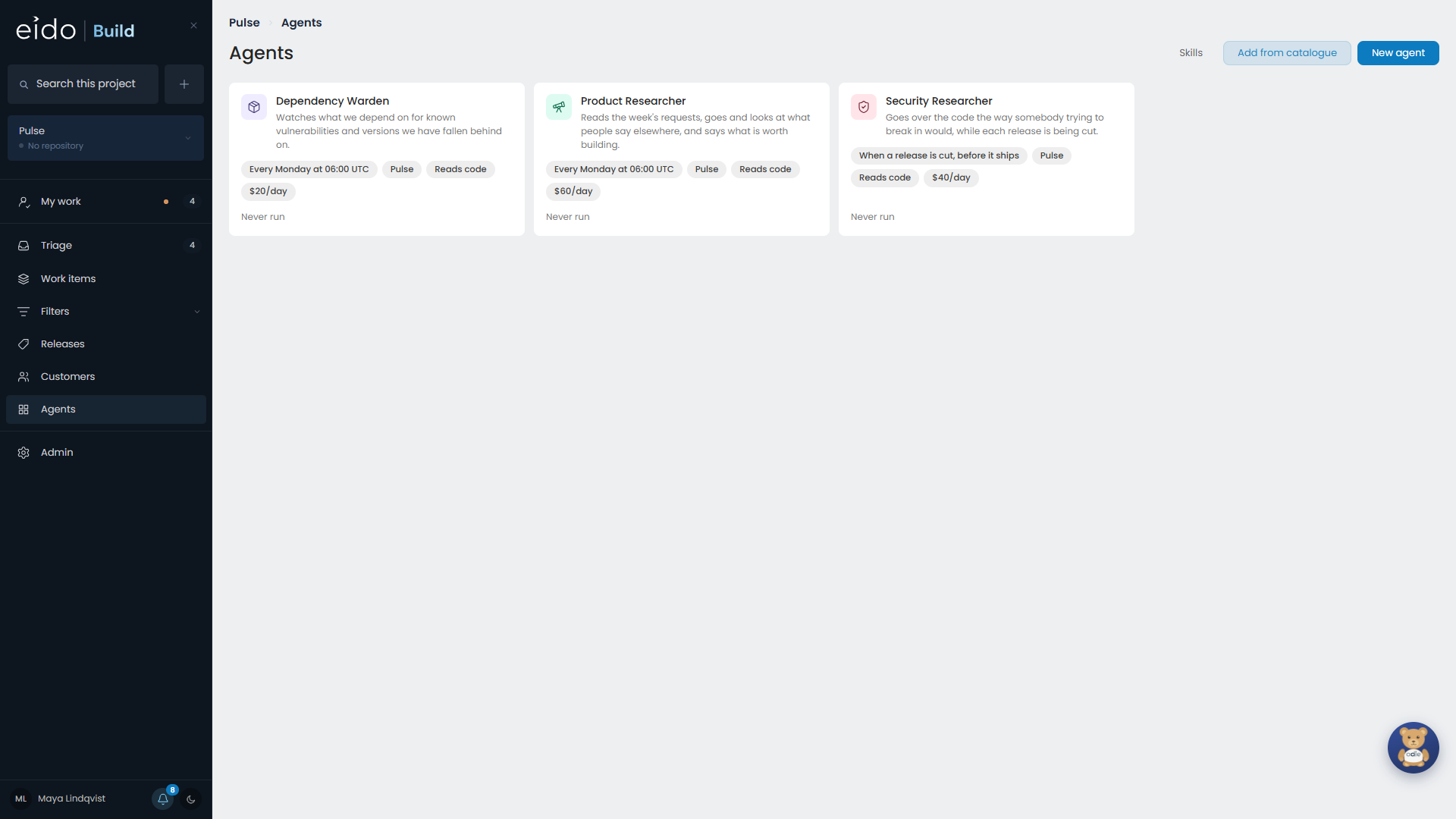
The agents Eido Build ships with#
None of these is running when you install. An agent that runs on a schedule and spends money should be something you chose, so they wait in a catalogue on the Agents page.
| Agent | What it does | Runs |
|---|---|---|
| Product Researcher | Reads the week’s requests, looks at what people say about this kind of product elsewhere, and says what is worth building. | Weekly |
| Security Researcher | Goes over the code the way somebody trying to break in would. | When a release is cut |
| Dependency Warden | Watches what you depend on for known vulnerabilities and versions you have fallen behind on. | Weekly |
| Accessibility Reviewer | Reads the front end for the things that lock people out. | Monthly |
| Customer Advocate | Notices who has been waiting, and for what, before they have to ask again. | Weekly |
Everything about an agent can be changed after it is added. To make your own, see Setting up agents.
When an agent runs#
An agent runs by hand, hourly, daily, weekly, monthly, each time a release is cut, or each time a work item finishes.
Reports#
Each run writes a report. Reports are kept in Eido Build and read from the agent’s page. They are not committed to your repository.
Suggestions#
A suggestion is never work on its own. It goes into Triage as a work item raised by the agent, with the agent’s reason at the foot of the description. It is approved or rejected there, once, like anything else.
Two kinds wait somewhere else:
- a suggestion from a release check waits on the release’s page, because it holds up that release. See Cutting a release.
- a suggestion from a run against no project waits on the agent’s own page.
Avoiding repeats#
Agents are told to search existing work before raising anything, and they have the tools to do it. Eido Build also screens what arrives:
- an unmistakable repeat of open work is dropped, and the run’s log says what it matched
- a near miss arrives with a note, such as “May duplicate PULSE-123”, for a person to judge
Budgets#
Every agent has two caps, both in US dollars.
| Cap | What it limits |
|---|---|
| Per run | What a single run may cost. The run stops when it reaches it. |
| Per day | What the agent may cost in a day. A run that would go over does not start. |
A run that did not start is recorded as skipped, with the reason, so “why didn’t it run last night” has an answer on the agent’s page.
Memory#
An agent can be given a memory: notes that survive from one run to the next. The Product Researcher uses it to remember which sources were worth reading and what it has already covered. Turning memory off leaves the notes where they are.
What an agent may do#
An agent starts with very little. An admin can grant more, one thing at a time:
- Read the code. With read-only access the agent cannot push.
- Raise work items itself, instead of proposing them. They still land in Triage.
- Add customers. Anybody an agent adds is a prospect.
- Perform integration actions, such as creating a ticket in another system. See Integrations for agents.
An agent is never given a credential.