
Odie is the bear floating over every page. Click him to open his chat panel, and drag him out of the way if he is covering something.
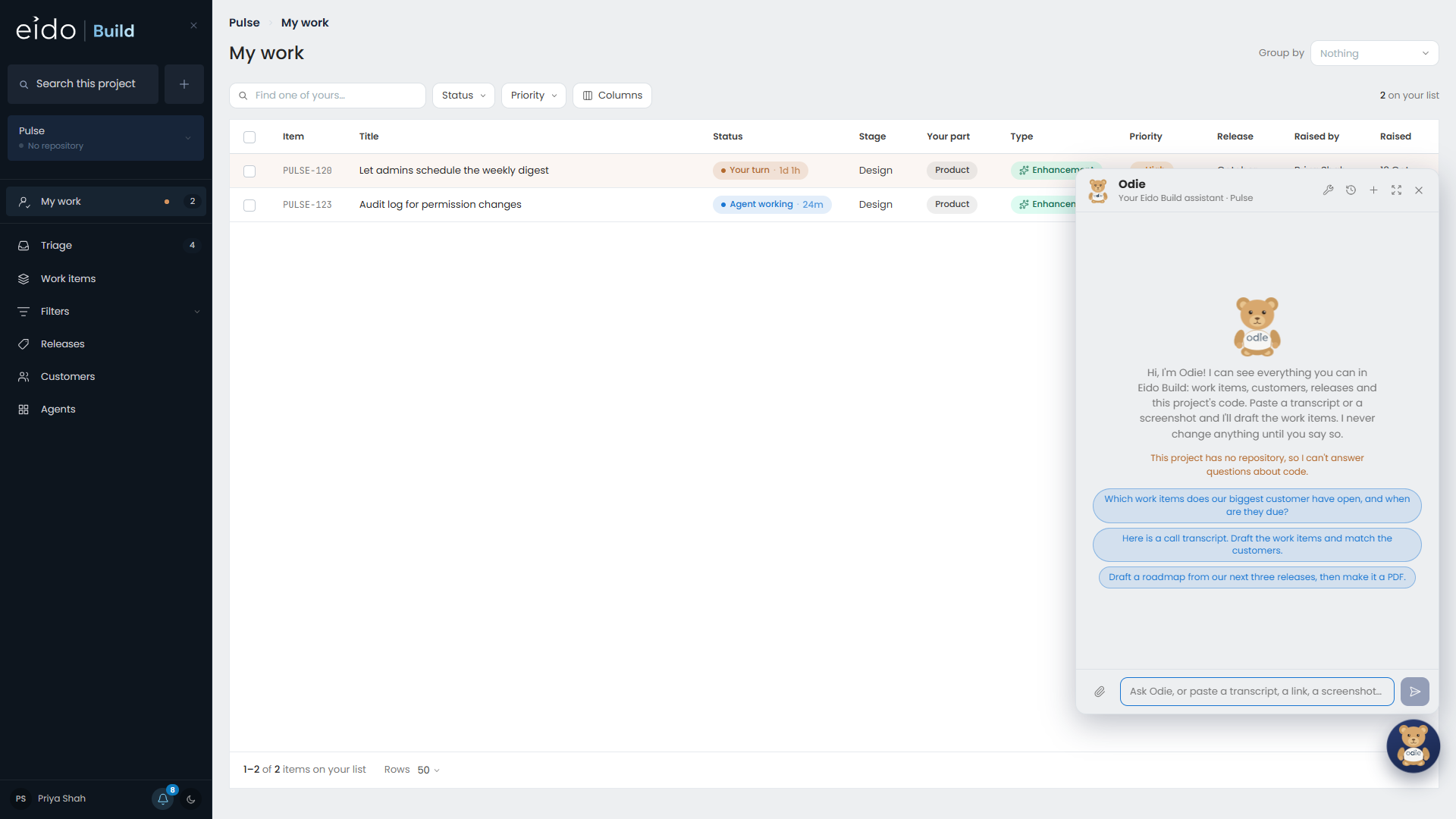
Search finds the ticket about the CSV export. Odie answers the questions you would otherwise interrupt a colleague with.
What to ask#
- “Which tickets does Contoso have open?”
- “What is still unfinished in the October release?”
- “Why does the export truncate long names?”
- “Draft me a roadmap from the next three releases.”
- “Here are my notes from the call with Northwind. What should we raise?”
Odie reads work items, customers, releases, the team, and the code. Questions about how the product works are answered by reading the repository.
You can paste screenshots into the box, and paste links, which Odie fetches and reads.
Odie reads everything and changes nothing#
Odie can read what you can read, in the projects you can see. He cannot change anything himself.
When something should change, Odie draws a card. A card is a button in front of you. Pressing it performs the action as you, with your permissions, exactly as if you had clicked through the screens yourself.
- If you are not allowed to do something, the card tells you so and Odie says who to ask.
- What actually happened is added to the conversation, so the transcript is a record of what was done and not only of what was proposed.
Kinds of card#
| Card | What it is |
|---|---|
| Action | One press, one change, such as moving a work item into a release. Odie cannot delete things, change settings, or run agents. |
| Tickets | Drafted work items with tick boxes. Tick the ones you want, merge any that overlap, and raise them. |
| Question | Options to choose from, so that answering is a press and not an essay. |
| Secret | A box for a credential Odie needs you to supply. The value goes straight to Eido Build’s secrets and never into the conversation. |
| Document | A rendered document, such as a roadmap, with a button to download it as a PDF. |
A single bug or enhancement card opens the ordinary new work item form, filled in. Nothing is raised until you save it.
Pasted text is evidence, not instructions#
If you paste an email or a transcript, Odie treats it as something to read. Text inside it that tries to give orders is not followed, and nothing changes without you pressing a card anyway.
Building an agent with Odie#
New agent offers two routes: build the agent by hand in the editor, or describe it in a sentence and hand it to Odie.
Odie asks questions until the goal is agreed, checks what integrations already exist, reads the documentation of any API involved, and then proposes each piece in order: the secret, the integration, its actions, and the agent. Each is a card you press. See Setting up agents.
Cost and model#
Anybody can ask Odie. Each conversation has a spend cap, so nobody can ask expensively.
Which model Odie uses is set for each project by an administrator. See Projects.