
Two ways a workflow asks for a decision#
A stage held for approval. Any stage can be set to park itself once its work is done. It names the teams who sign it off, separately from the teams who take part. Anybody can help design something while Product has the final say.
An approval stage. A stage that is nothing but a sign-off, for a decision that belongs to no single stage, such as agreeing that a whole change is ready.
Finding what is waiting for you#
Stages waiting for your team’s approval are in My work, whether or not you own the work item. If you have turned notifications on, you are told as well.
Approve#
Open the work item, read what the stage produced, and approve it. The work moves to the next stage straight away.
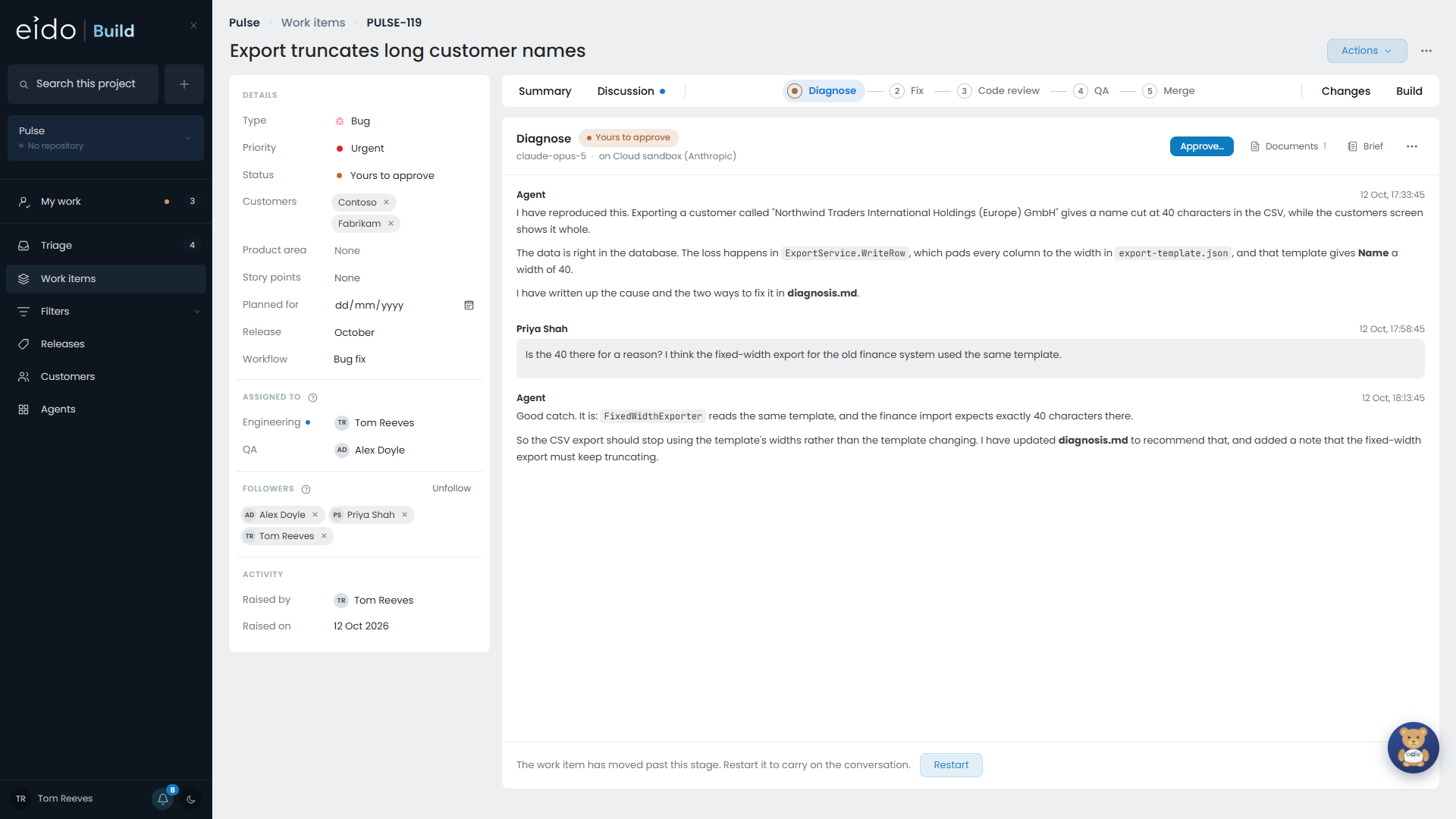
If you are both doing a stage and one of its approvers, the button is Approve and continue, so you do not have to send the work to yourself.
Reject#
Rejecting takes a reason, and the reason goes back with the work.
| What you rejected | Where the work goes |
|---|---|
| An agent stage that holds its own approval | Back to that stage’s agent. |
| A separate approval stage | Back to the nearest agent stage before it. |
| A manual stage, such as a task | Back to the person who did it. |
The agent reads your reason and revises its work. When it is done, the stage comes back to you.
Who may approve#
- Members of the stage’s approving teams.
- A project admin or an admin, for when the usual person is away.
Every decision is recorded with the name of who made it. If that person is not on the approving team, the page says so.
QA is two decisions#
A QA review stage separates finding problems from deciding what to do about them. The testing team passes or fails each acceptance criterion and logs what they found. A different team decides which of those bugs are fixed now. See Acceptance criteria and QA.
Approving a pull request#
The pull request itself is approved on your repository host, not in Eido Build. The merge stage shows what it is waiting for, such as “Waiting for approval” or “Changes requested”, and merges once the pull request is approved. See Branches, builds and pull requests.