
Does your project have releases?#
A project says how it ships, in its settings.
| The project ships | What that means |
|---|---|
| In fixed releases | Work is gathered into a release, which is frozen, checked and cut. Everything on this page applies. |
| Continuously | Merged is shipped. There is no Releases screen, no release on a work item, and approving something at triage starts it straight away. |
Planned and in progress#
A release is in one of two states before it ships.
- Planned. It is on the list and takes work. Work put in it is queued: no branch, no owners, no cost.
- In progress. It is the release being built. Anything put in it starts immediately.
Opening a release is what starts everything queued for it. This is what stops October’s release being built in August.
Only one release is in progress at a time. If you try to open a second, Eido Build names the one already open and refuses. The exception is a hotfix.
Opening a release#
Start work on this release opens a planned release.
If the project starts work automatically, every work item queued for the release starts at once. Each one cuts a branch and begins its first stage, which is often an agent session.
If the project starts work manually, opening the release fills the queue, and each work item waits behind a Start button. How much is in flight at once is then something you choose.
The queue and the backlog#
Queued work is everything agreed to that has not started.
The backlog is the part of the queue that is in no release: everything somebody has said yes to, and nobody has said when. It is the list to open when you are planning the next release. Approving something at triage without choosing a release is Add to backlog.
A project that ships continuously has no backlog, for the same reason it has no releases.
Dates and order#
A release’s date decides the order releases come in, and nothing else. No release opens because a date arrived, and nothing is held up by one.
The date does decide which release is next: the one offered to open when the current one ships. Everywhere releases are listed, they read as a plan, with what is still to come first, soonest at the top, and then what has shipped.
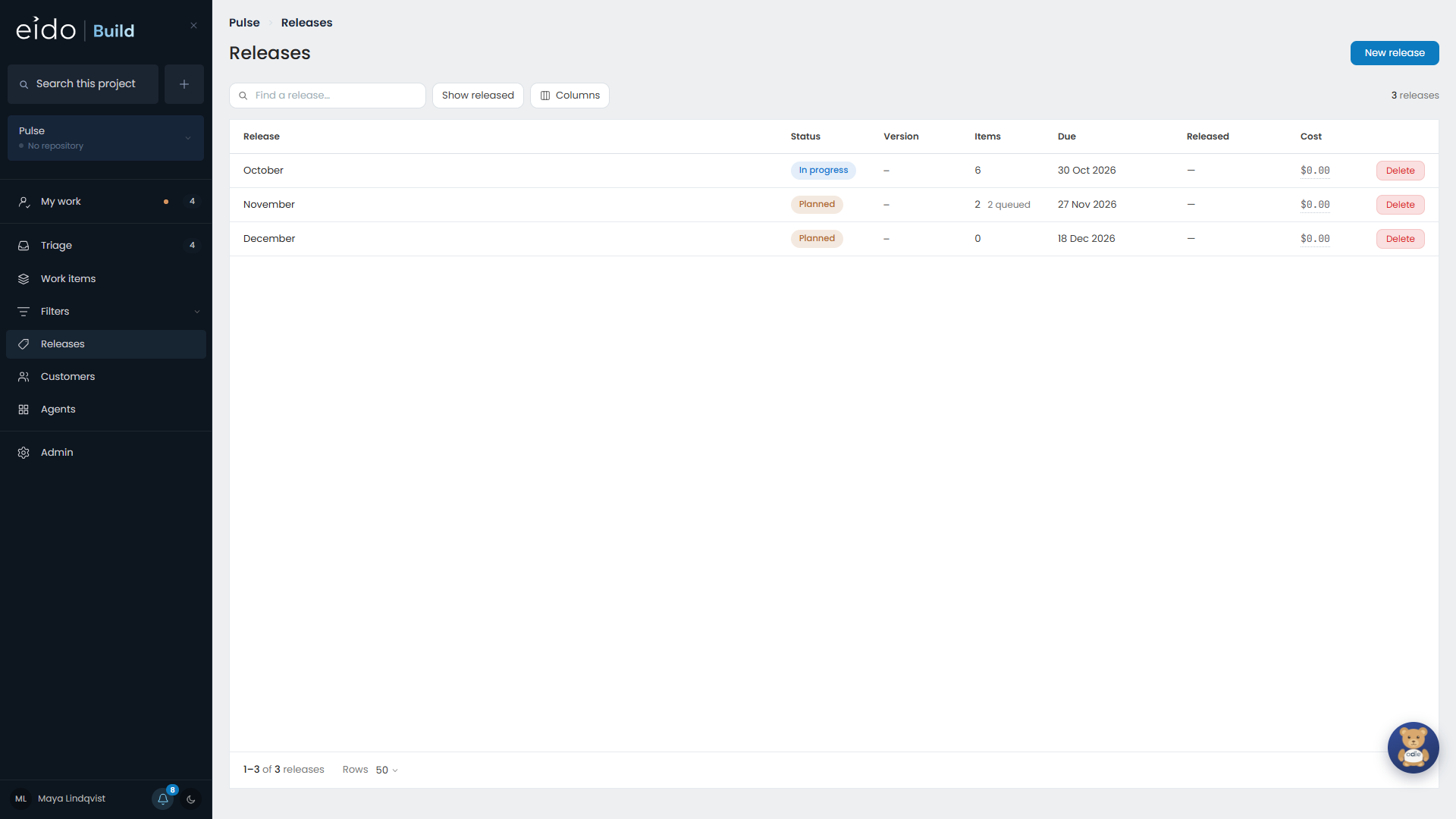
The releases list#
The Releases screen shows the plan, so releases that have shipped are hidden. Show released brings them back. The count along the bottom tells you when rows are filtered out.
Cancelled releases stay in the list, because a cancelled release is a decision somebody may still need to see.
Version numbers#
Eido Build numbers each release from the project’s last released version. If production is on v3.1.0, the next release is v3.2.0. The project’s setting is updated after every cut, so it always says what is live.
Next#
When everything in a release is finished, cut it.