
An agent stage is a conversation. The agent works in a sandbox that has your repository in it, reads the code, and writes back. You can read along while it works, answer its questions, and steer it.
The conversation#
Open the stage on the work item to see its messages as they arrive.
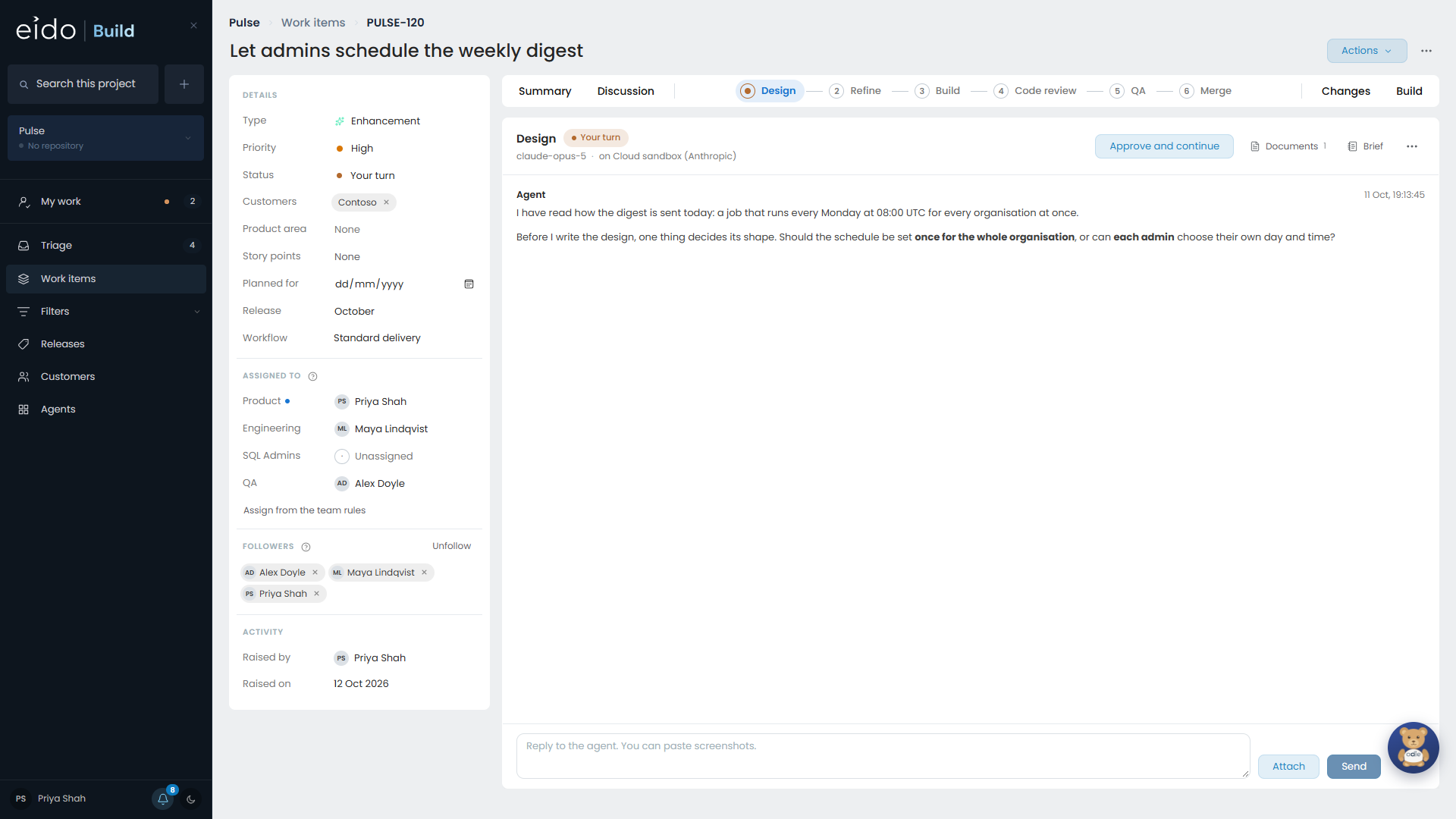
- When the agent asks a question, the stage turns amber and waits for a reply. Questions with options are buttons.
- You can send a message at any time to add something or correct its course.
- Anybody on the stage’s teams can take part.
Documents#
Most stages produce a document: a design, a plan, a diagnosis, a code review.
- Each time the agent rewrites a document, a new version is stored. A dropdown shows the earlier ones and when each was written.
- Documents can contain diagrams and mockups, which are drawn on the page.
- A document marked as a presentation opens full screen, a page at a time.
If a document is not right, say so in the conversation. The agent revises it and a new version appears.
Finishing the stage#
When the stage has done its job, mark it as done.
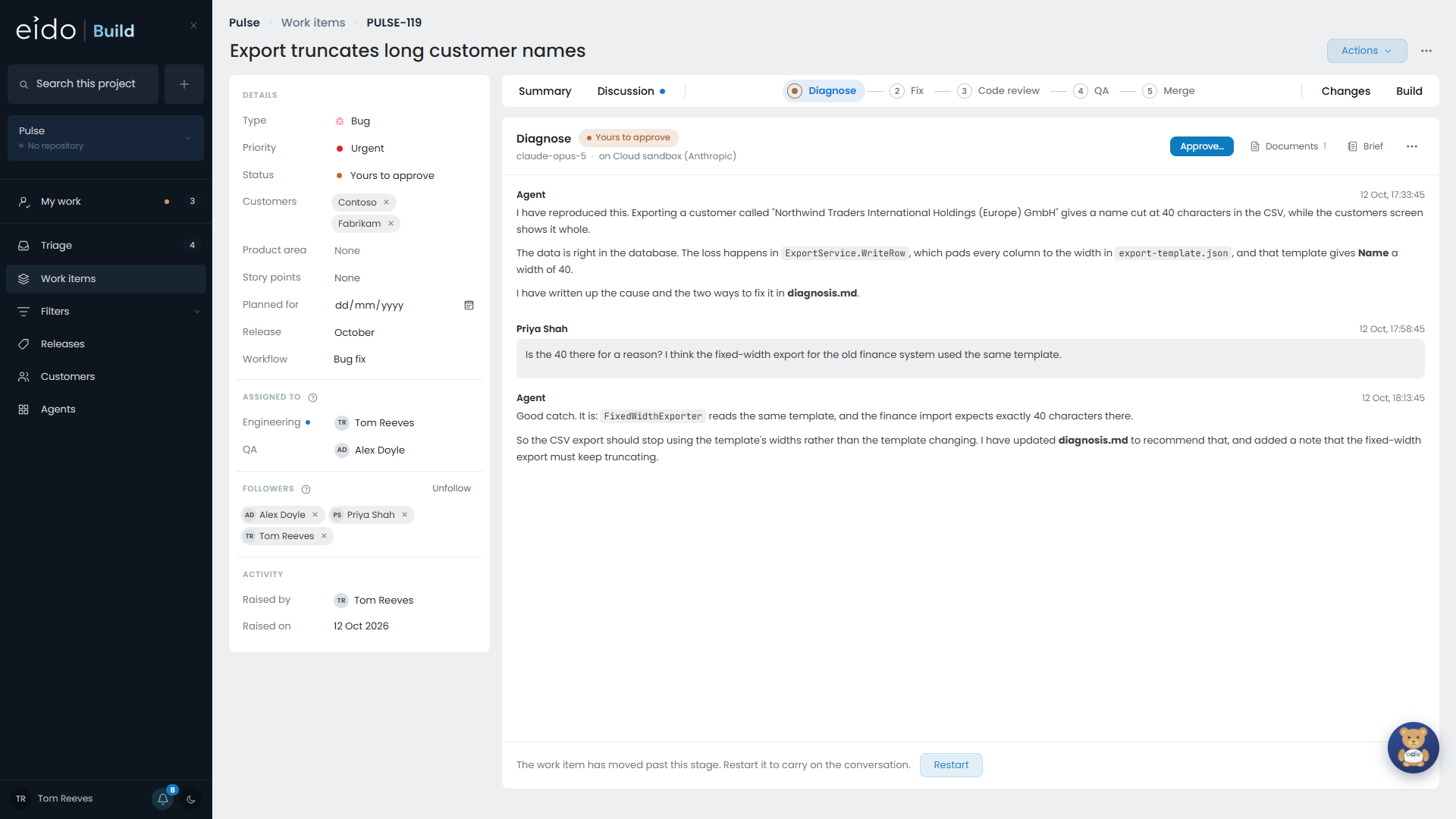
| The button says | When |
|---|---|
| Approve and continue | The stage is held for approval and you are one of its approvers. Finishing and approving are one press. |
| Send for approval | The stage is held for approval and somebody else signs it off. |
If the stage is not held for approval, finishing it moves the work straight to the next stage.
Coding stages#
A stage that writes code commits to the work item’s branch and pushes. From then on the work item’s Changes and Build views have something to show. See Branches, builds and pull requests.
Waiting for a deployment#
A stage can be set up to wait for its own changes to deploy before carrying on, for example so that it can test them. While it waits:
- the stage sleeps, and nothing runs or costs anything
- Eido Build checks the build once a minute
- when the deployment is ready, has failed, or has taken too long, the agent is told and carries on
Replying to the stage while it sleeps cancels the wait.
Using a real browser#
If your administrators have set up Windows 365, a stage can be allowed to use a Cloud PC to test a website in a real browser, click through it, and take screenshots. See Windows 365.
When a stage stops at its spend cap#
Each stage can have a cap on what its session may cost, in US dollars. A stage that reaches its cap stops.
An admin or project admin can raise the cap on that work item, beside the figure the stage has spent. The stage then carries on from where it stopped. The change is recorded with who made it. A cap below what has already been spent is refused.
When a stage will not start#
| What you see | Why |
|---|---|
| The stage is queued | A stage before it has not finished or been approved. |
| Nothing starts anywhere | The month’s budget for agents has been spent. No new agent stage starts until an admin raises it. See Costs and budgets. |
| A merge conflict is shown | The default branch could not be merged in cleanly. The coding stage is told and resolves it. |
Sending work back#
Rejecting a stage at approval sends the work back to the agent that did it, with your reason. See Approvals.