
Organization settings > Eido > Standards has two tabs: Packs and Lessons.
Packs#
A pack is a Markdown document agents read before they work. Its Kind is Standards, rules to follow while working, or Review checklist, what review stages check against.
Write a pack#
- Press New pack.
- Name it, and choose its Kind. Such as “C# coding standards”.
- Choose where it applies. Every project on: it applies everywhere. Off: each project chooses it in Project settings > Eido > Standards.
- Write the Document (Markdown). Plain and specific works best. The agent reads all of it, at every stage.
- Press Save.
Open a pack to change it. Delete stops every project reading it. Projects can also write their own packs: see Project standards.
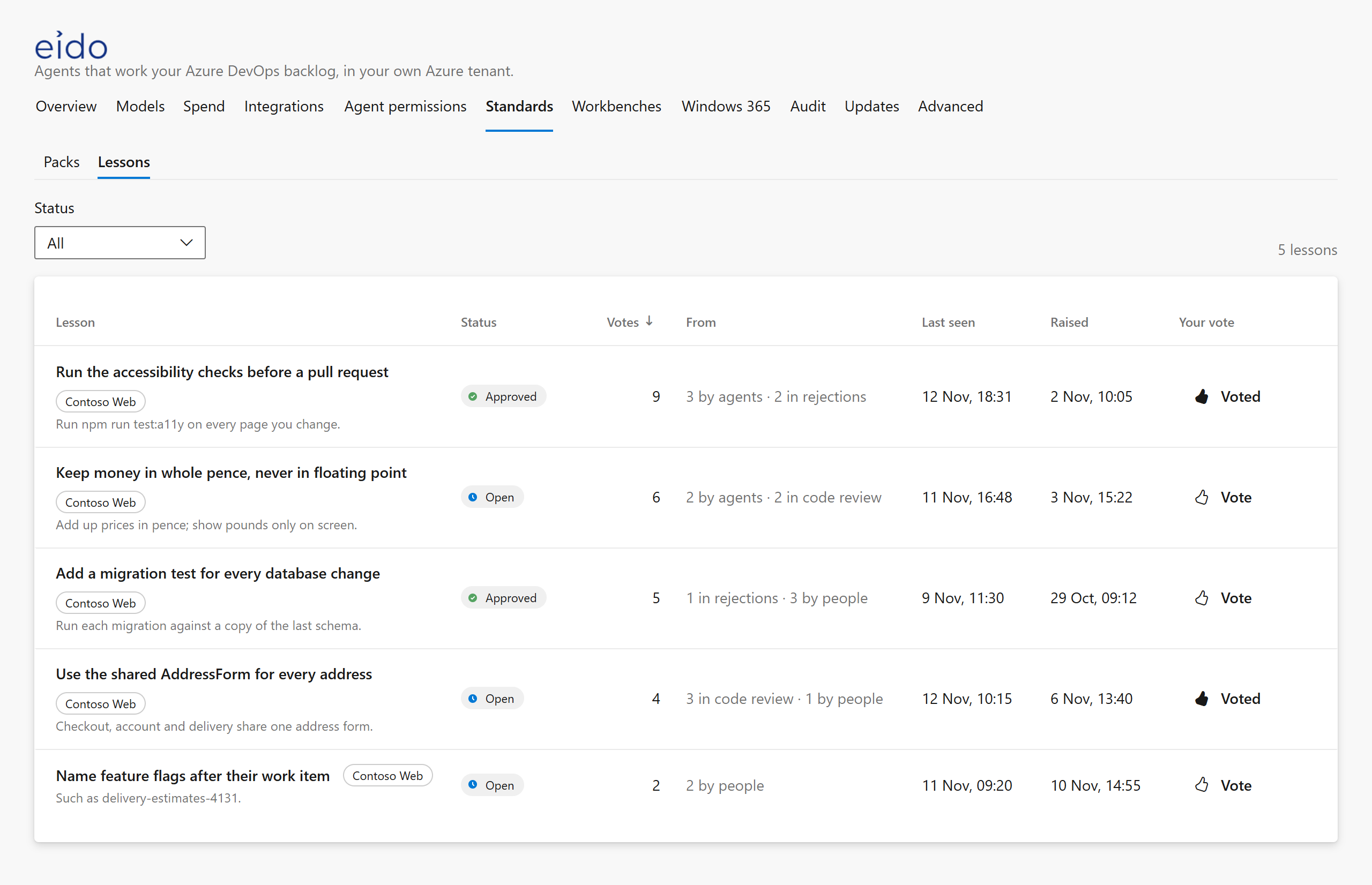
Lessons#
Lessons are rules raised as people and agents work. See Teaching Eido. A project decides its own lessons, and sends one here with Send to the organization… when it applies everywhere.
The list shows each lesson’s Status and Votes: how often it came up, plus votes from people. The most voted come first. Anyone can vote. Project Collection Administrators decide.
Decide a lesson#
Open a lesson to see The rule, About it and Every time it came up. Edit it into a general rule before approving: raised lessons often describe one case.
| Do this | What happens |
|---|---|
| Approve | Adds the rule to a pack you choose, or to A new pack…, which applies to every project. Every later run reads it. |
| Reject… | Asks why. If it comes up again it gets the vote, so you can see it keeps happening. |
| Merge into it | For a lesson that says the same as another. Its votes move over. |
| Reopen | Opens a rejected lesson again. |
Not followed#
Not followed means a pack already has the rule, and an agent didn’t follow it. Make the rule clearer: approve the lesson to add the new wording, or fix the rule in its pack yourself, then choose No change: I fixed the rule in its pack and press Mark handled.