
What a lesson is#
A rule Eido should follow on every change, not just this one. The same mistake again is a vote for the lesson, not a new one. A project admin approves the ones that matter into the project’s standards, and every later run reads them.
Four ways to raise one#
| Where | How |
|---|---|
| Rejecting a stage | Tick Also teach Eido. See Approvals. |
| A work item’s Eido tab | Press Teach Eido. |
| A pull request | Reply /lesson in a thread, or choose Teach Eido on its … menu. |
| The agent | A stage set to May suggest lessons raises them itself. |
Teach Eido on a work item#
-
Press Teach Eido
At the top of the Eido tab, once Eido has worked on the item.
-
Say what Eido should do, every time
In What should Eido do, every time?. For example: “When you change an EF model, add its migration in the same change.”
-
Vote instead, if it is there already
As you type, Already raised? Vote instead lists lessons that look the same. Press Vote on the one that says it.
-
Press Raise lesson
If it applies beyond this project, tick I think this applies to every project in the organization first.
In a pull request#
Reply /lesson to a comment that says the rule, and that comment becomes the lesson. Or write the rule after it, such as /lesson Add a migration with every model change. Eido replies in the thread, such as “Raised as lesson 12”.
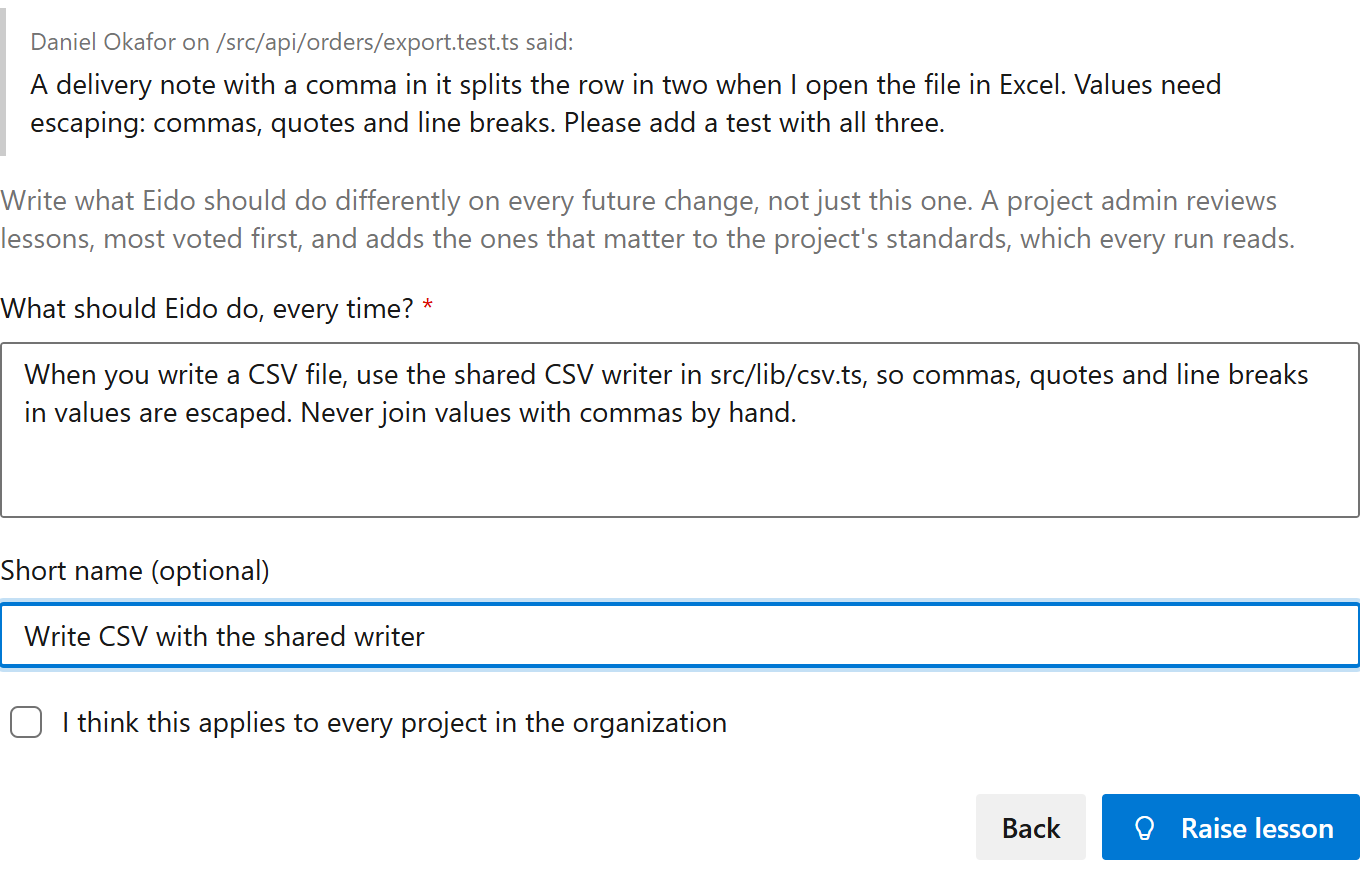
Or choose Teach Eido on the pull request’s … menu. Teach Eido from this pull request lists the review comments. Press Teach Eido this on one, or Write my own, edit it into a rule, and press Raise lesson.
What happens to a lesson#
| Status | Means |
|---|---|
| Open | Waiting for a decision. Anyone can Vote for it in Project settings > Eido > Standards > Lessons. |
| Approved | In a standards pack. Every later run reads it. |
| Rejected | Turned down, with a reason. |
| Merged | It said the same as another lesson. Its votes moved there. |
| Not followed | Already approved, but it came up again, so its rule needs rewording. |
Project Administrators decide lessons in Project settings > Eido > Standards > Lessons. See Project standards. Lessons sent to the organization are decided in Organization settings > Eido > Standards > Lessons. See Standards.
Lessons from agents#
A stage set to May suggest lessons raises a lesson when it finds a mistake a written rule would have prevented, and votes rather than repeating an open one. In the workflows Eido ships, the Fix, Self-review, Code review, Review and Test stages do this.