
What an always-on agent is#
An always-on agent runs on a schedule in one project. It reads the systems it was given, such as a support desk, an incident tool or the code, and raises work items for people to triage. It never changes what it reads, and never starts work on what it raises.
A Project Administrator sets agents up: see Setting up always-on agents.
What it raises#
An ordinary work item, usually unassigned, tagged eido, eido-agent and the agent’s own tag, such as eido-agent-support-intelligence. Its description gives the finding, Why agent raised this, and the Evidence it saw.
A link marked (cited by the agent, not seen by Eido) is one the agent mentioned but didn’t read. Check it before you rely on it.
If the agent sees the same thing again:
- Item still open: it comments “agent saw this again”, with the new evidence.
- Item closed: nothing, unless the problem has come back. Then the new item says This came back.
- Item deleted: it treats it as new.
Triage#
-
Find what agents raised
Query for the tag
eido-agent, or open Boards > Eido > Agents and look under Findings. -
Check the evidence
Give less weight to anything cited and not seen.
-
Decide
Close it, or prioritise it like any other item. Close rather than delete: a deleted item can be raised again. To have Eido build it, see Giving Eido work.
Following an agent#
Boards > Eido > Agents shows every agent in the projects you can see, with Running now, Open findings and what they Spent in the last 30 days. Select an agent for its Runs and Findings, and a run for what it read and raised.
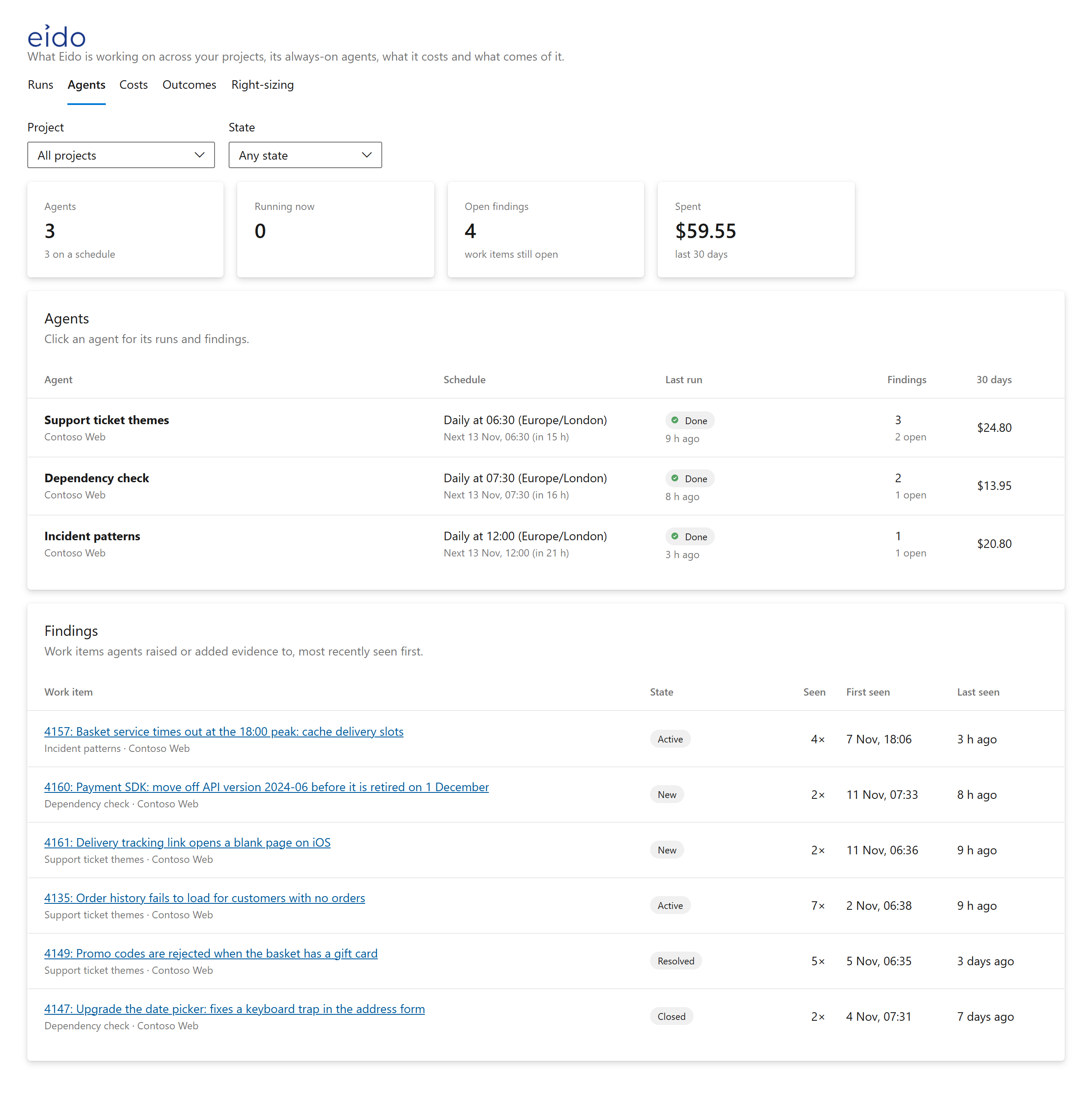
Cancel run stops a run, and what it already raised stays. A run marked Skipped didn’t start: the last run was still going, or a budget was used up.
Anyone who can read the project sees its agents. Only Project Administrators can press Run now.