
Five ways in#
| Way | What you do | When Eido starts |
|---|---|---|
| Send to Eido | Choose Send to Eido on one item or several | Straight away |
| Assign it to Eido | Set Assigned To to Eido | Within a minute |
| Picked up from a board | Move the item to the column, state or query a workflow watches | Within a few minutes |
| A child item | Nothing. A run starts it on a linked item | When the run decides |
| A pull request | Open a pull request linked to a work item | Within a few minutes |
Send to Eido and assigning are on by default. A project admin turns the others on, per workflow. See Workflows.
Send to Eido#
-
Save the work item, then choose Send to Eido
On the … menu at the top of the work item, in the Eido group on Details, or on the Eido tab. For several items, select them on a backlog, board or query and right-click.
-
Choose the workflow, if asked
The one marked (best match) is the most specific. Add anything Eido should know, and press Send to Eido.
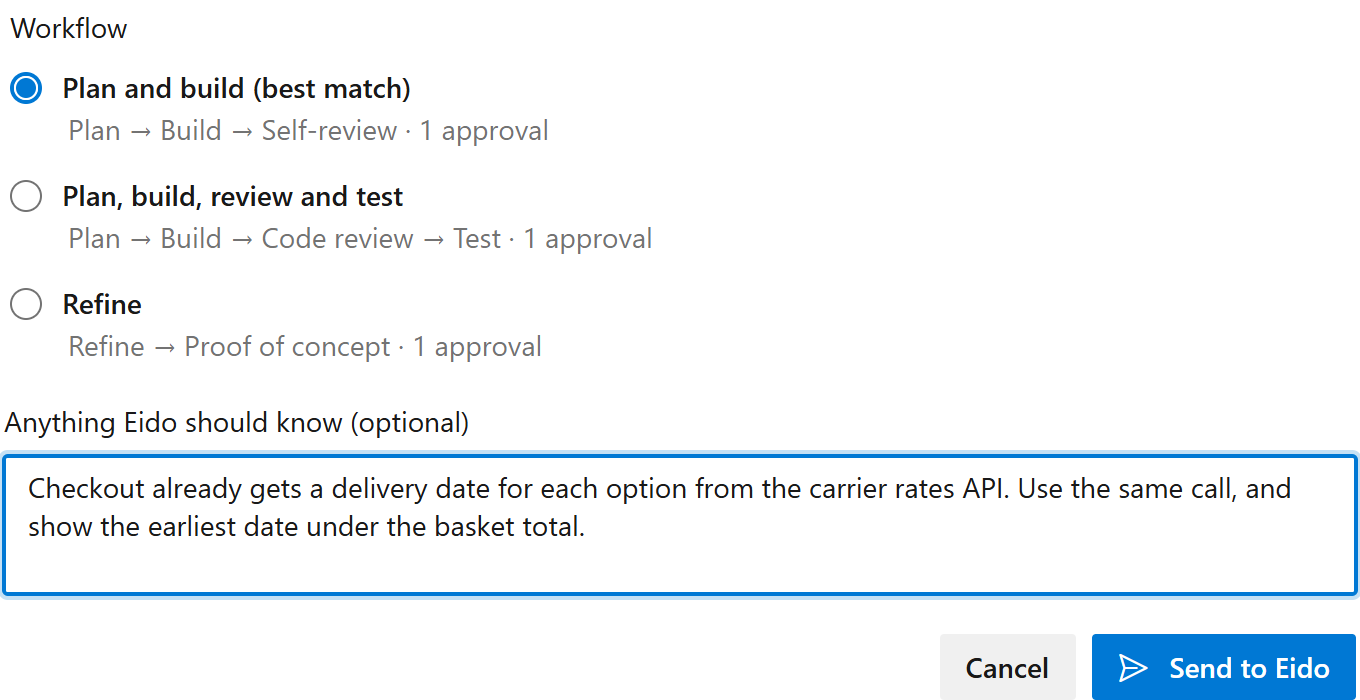
To add notes when only one workflow fits, send from the Eido tab.
Assign it to Eido#
Set Assigned To to Eido, on the work item, a board or in a bulk edit. Eido uses the best-matching workflow.
- If others fit too, its first comment starts Heads up: and says how to pick another.
- If it can’t start, it gives the item back and says why.
- To stop Eido, assign the item to someone else.
Picked up from a board#
A workflow with Pick up items automatically takes items from a Board column, a State or a Shared query. See Auto pick-up.
- The person who created the item is its sender. Eido’s questions go to them, and so does the item at the end.
- With Only take items that are ready, an item needs a description and acceptance criteria (a bug, repro steps). A skipped item is tagged
eido-needs-detail, with a comment saying what is missing. Fill it in and remove the tag.
Child items#
A run can start runs on linked work items, such as a bug it raised, if its workflow allows. They spend from the parent’s budget.
Pull requests#
A workflow such as Review a pull request can start when a pull request linked to a work item is opened. See Code review.
Who may give Eido work#
Anyone who can see the project, unless the project limits it to a group in Who may send work. Assigning also needs permission to edit the work item. A work item has one run at a time.
When it doesn’t start#
| Eido says | What to do |
|---|---|
| Eido is already working on this item. | Nothing to do: follow it on the Eido tab. |
| No Eido workflow fits this work item… or Eido has no workflow for type… | Ask a project admin for a workflow. |
| The workflow workflow does not start when an item is assigned to Eido. | Use Send to Eido, or ask a project admin to turn assigning on. |
| Only members of group may send work to Eido in this project. | Ask a member of that group to send it. |
| This project’s monthly model budget (amount) is used up… | Wait for next month, or ask an admin to raise it. |
After an assignment, the reason is in a comment that starts Eido can’t start on this yet:. For anything else, see Troubleshooting.