
Three places to look#
| Where | For |
|---|---|
| The Eido group, on the Details page | A glance. |
| The Eido tab | Everything. |
| The work item’s discussion | What Eido says, and where you reply. |
The group and the tab update by themselves. A run opened in the Eido hub shows the same view as the tab.
The Eido group#
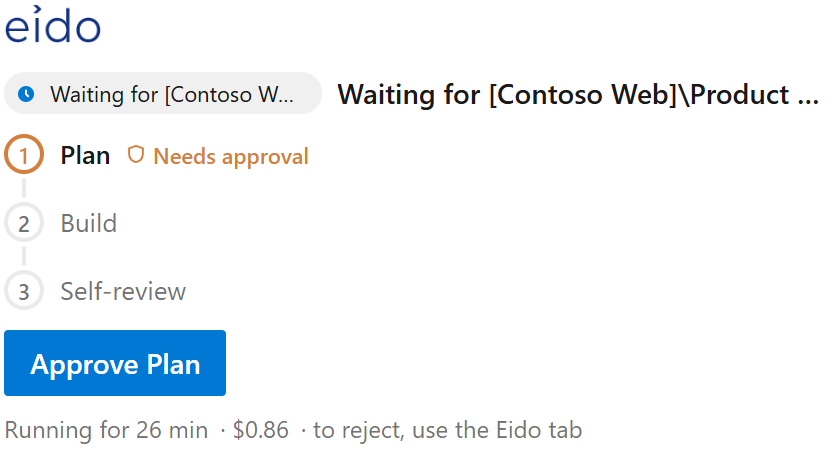
On the work item’s Details page: the status, the stages, the time and cost so far, the pull request, and at most one button: Send to Eido, Approve and the stage (such as Approve Plan), Continue and the stage, or Send again.
The Eido tab#
At the top: what Eido is doing, the workflow, who sent it, the time, cost and stages, and the buttons Teach Eido, Continue, Stop, and Send again or Start over. A notice under them shows when Eido needs you or something went wrong.
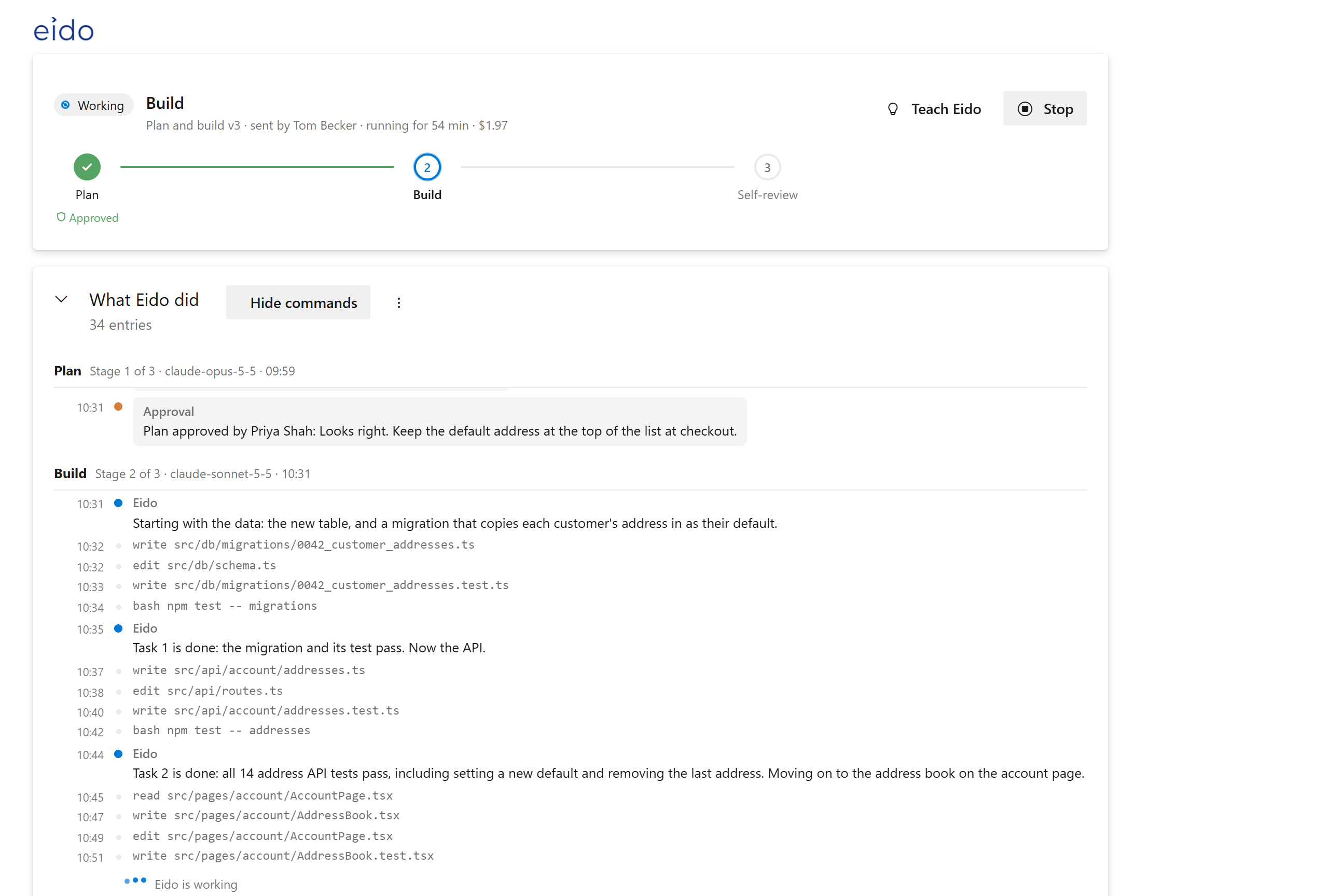
Below are the cards: Cloud PC, live, What Eido did, Approvals, Models and cost, Pull requests, Context, Permissions, How did Eido do? and Earlier runs. Export for support, on the What Eido did menu, puts the run in one file for a support ticket.
Statuses#
| Status | What to do |
|---|---|
| Queued or Working | Nothing. Eido is on it. |
| Waiting for an answer | Reply in a comment. See Answering questions. |
| Waiting for approval, or Waiting for and a group | Approve or reject. See Approvals. |
| Paused: out of budget | Raise the budget and Eido carries on by itself, or press Continue. The work so far is kept. |
| Done | Review the pull request. |
| Stopped | What went wrong. says why. Continue carries on from that stage. Start over or Send again goes back to the first. |
| Cancelled | Someone stopped it, or nobody approved in time. Press Send again. |
Stopping Eido#
Press Stop on the Eido tab, then Stop in Stop Eido?, or assign the work item to someone else. Eido keeps what it has done so far. The person who sent the work, its approvers and project admins can stop or continue a run.
The comments Eido posts#
Eido @mentions the person who sent the work, or the approvers, so Azure DevOps tells them.
| A comment that starts | Means |
|---|---|
| Eido has started work on this. or Eido started work on this automatically. | The run started. It names the workflow, the stages and the branch. |
| Heads up: | More than one workflow fits. It says which one Eido is using. |
| Eido has a question: | Reply in a comment and Eido carries on. |
| Eido is waiting for approval: | A stage is done and waits for a decision. |
| Reminder: | Nobody has decided yet. |
| Eido has finished. | It links the pull request and says what the run cost. |
| Eido paused: | A budget ran out. It says which, and how to carry on. |
| Eido stopped: | Something went wrong, or nobody approved in time. |
| Eido can’t start on this yet: | It was assigned the item but couldn’t start. It says why. |
| Eido skipped this: | It passed the item by on a board. It says what is missing. |