
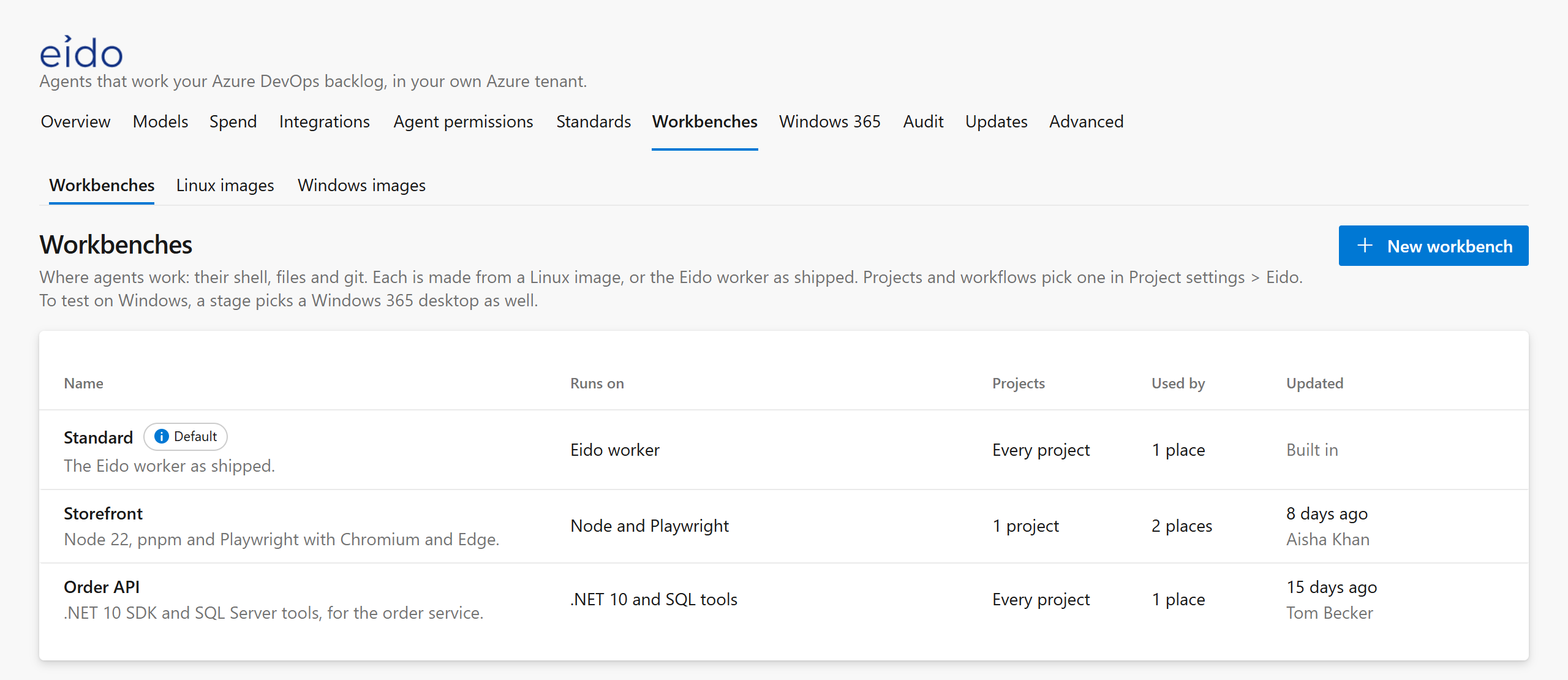
Organization settings > Eido > Workbenches has three tabs: Workbenches, Linux images and Windows images.
Workbenches#
A workbench is where an agent works: its shell, its files and git. Standard, the Eido worker as shipped, is built in, and is the default until you choose another. Projects and workflows pick a workbench in Project settings > Eido.
To test on Windows, a stage also borrows a Windows 365 Cloud PC.
Make a workbench#
- Press New workbench.
- Name it. The Name is what people pick in Project settings, such as ”.NET 8 and Node”.
- Choose its Image. Eido worker (as shipped), or one of your Linux images.
- Choose Every project or Chosen projects, and press Create.
Each row’s menu has Make the default, for a workbench every project may use, and Delete. Eido won’t delete a workbench while something uses it, and says what.
Linux images#
A Linux image is the Eido worker with your own tools added. Azure builds it in your registry, in your subscription. It rebuilds on your schedule, with every package upgraded, and whenever a new Eido worker ships.
Press New image:
| Field | What to put |
|---|---|
| Name | Such as “Python data”. It can’t change later. |
| apt packages, npm packages, global, pip packages, .NET tools | One per line, such as ffmpeg, typescript, pandas or dotnet-ef@9.0.0. |
| Setup script | Optional. Runs once, after the packages, while the image builds. |
| Dockerfile lines | Optional. RUN, ENV and the like. No FROM, ENTRYPOINT or CMD. |
| Maintenance | Rebuild on a schedule, every so many days at a time (UTC), or Off. |
Then press Create and build. The first build takes a few minutes. Builds and maintenance lists every build, with Get log. Add what workflows need and no more: the image shares the workbench’s disk.
Windows images#
Windows images are for the Windows 365 Cloud PCs agents test on. Eido builds them in your Azure subscription with Azure VM Image Builder. An agent’s Cloud PC starts fresh every session, so put every app, feature and setting agents need in the image.
Make a Windows image#
Press New image:
| Section | What to set |
|---|---|
| Start from | The Base image: any Windows 11 Enterprise, Gen2, single-session marketplace image. |
| Apps | Tick apps, or add Another winget package by its id, such as JetBrains.Rider. |
| Windows features, Scripts | Optional features, and scripts to run while it builds. |
| Updates and schedule | Install Windows updates while building, and Rebuild on a schedule. |
| Windows 365 pools | The pools to move to each new build. |
| Build VM | The VM Size it builds on. |
Then press Save, or Save and build now. A build takes one to three hours. Do container and virtual machine work in a Linux image.
After every successful build, Eido moves the ticked pools to it. That reprovisions every Cloud PC in the pool, which takes 20 to 30 minutes, and the pool lends none meanwhile.
Builds#
Each image’s row has Build now, Edit and Builds. A build’s Build log says why it failed. If it says Your subscription needs a one-time Azure setup, open Builds for a command. Someone with Contributor or Owner on the subscription pastes it into Cloud Shell. When every line says registered, press Build now.