
The audit log is under Organization settings > Eido > Audit > Audit log. Nothing in it can be changed or removed, and retention never touches it.
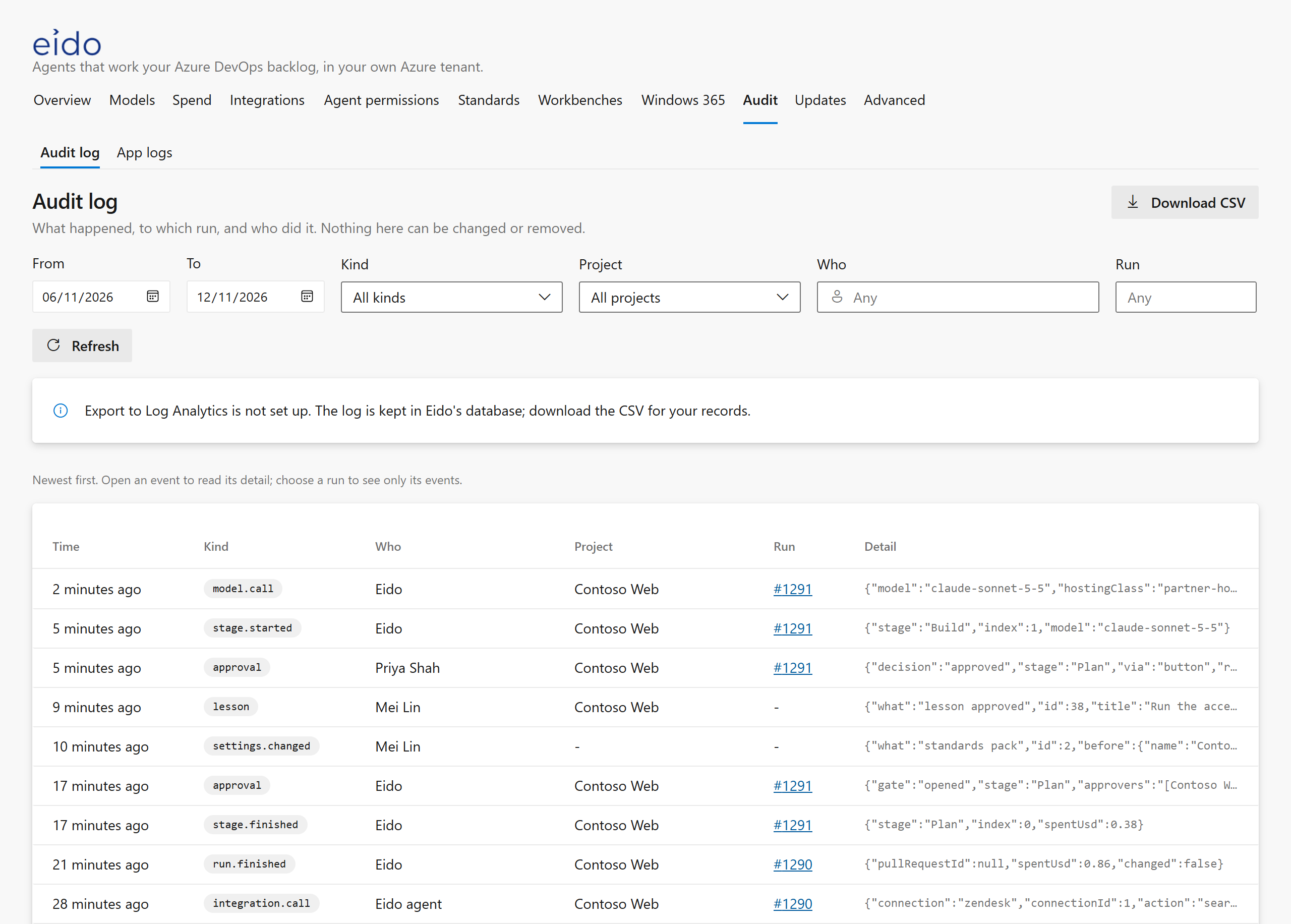
Find what you want#
| Filter | What it does |
|---|---|
| From, To | The dates. The last 7 days to start with. |
| Kind | One kind of event, or a group such as Runs (all). |
| Project | One project, or All projects. |
| Who | Part of a person’s name. |
| Run | One run’s number. |
The newest events come first. Choose a run number in the list to see only that run’s events, and open an event to read its Detail.
What is in it#
| Kind | When |
|---|---|
run.started, run.finished, run.failed, run.cancelled, run.continued, run.refused, run.rated | A run starts, ends, carries on, is refused or is rated. |
stage.started, stage.finished | Each stage of a run. |
approval | A gate opens, is approved or rejected, or expires. |
model.call | Every model call, with its cost. |
tool.call, integration.call | Every tool an agent calls through Eido, and every call a connection makes. |
secret.set, secret.deleted, secret.used | A secret is set, deleted or typed on a Cloud PC. |
settings.changed | Any settings change, with what changed. |
budget.alert, budget.stopped | A budget passes 50%, 80% or 100%, or stops a run. |
policy.refused | A model or hosting a policy doesn’t allow. |
lesson | A lesson is raised, approved, rejected, sent to the organization or merged. |
agent.created, agent.updated, agent.deleted | An always-on agent changes. |
agent.run.started, agent.run.finished, agent.run.failed, agent.run.cancelled, agent.run.skipped | An always-on agent’s runs. |
agent.finding.raised, agent.finding.updated | What an always-on agent raised. |
retention.purged | Each day’s retention pass. |
audit.exported, logs.exported | Someone downloaded the audit log or the app logs. |
Who is the person who did it. What Eido did by itself shows as Eido, and what an always-on agent did shows its name.
Download it#
Download CSV downloads every event that matches the filters. The download is itself in the log.
A line under the filters says whether the log is also exported to Log Analytics, and when it last exported. Without it, download the CSV for your own records.